Sri Lankan Handicrafts E-Commerce Mobile App Design - UI/UX Case Study

The content of this UI/UX case study

  1. Introduction
  2. Identified Problem
  3. Design Process
  4. Empathy Map and User Personas
  5. Competitor Analysis
  6. User Journey Map
  7. Storyboard
  8. Identified Pain Points and Desired Outcomes
  9. Proposed Solution
  10. Information Architecture
  11. Wireframes
  12. Color Tokens
  13. Typography
  14. Components
  15. UI Design Decisions
  16. User Interface Designs
    • Detailed Screen Designs
    • Mobile ViewPort Designs

    • *Note: The final designs are presented through both mobile viewport mockups and full-length screens to highlight the user experience as well as the complete interface structure.Detailed Screen Designs
    1. Introduction

    This project aims to help users easily discover and purchase authentic Sri Lankan handicrafts while learning about the artisans behind them. The app allows buyers to explore culturally rich products and place orders through a simple, user-friendly mobile experience.

    2. Identified Problem

    Local buyers and international visitors to Sri Lanka who want to discover and purchase authentic Sri Lankan handicrafts struggle to find trustworthy online platforms that offer genuine products. And also, it is challenging to find meaningful information about the artisans behind them. Existing platforms are often outdated, have limited selections, and lack cultural context, making it difficult for users to shop with confidence and appreciation.

    3. Design Process

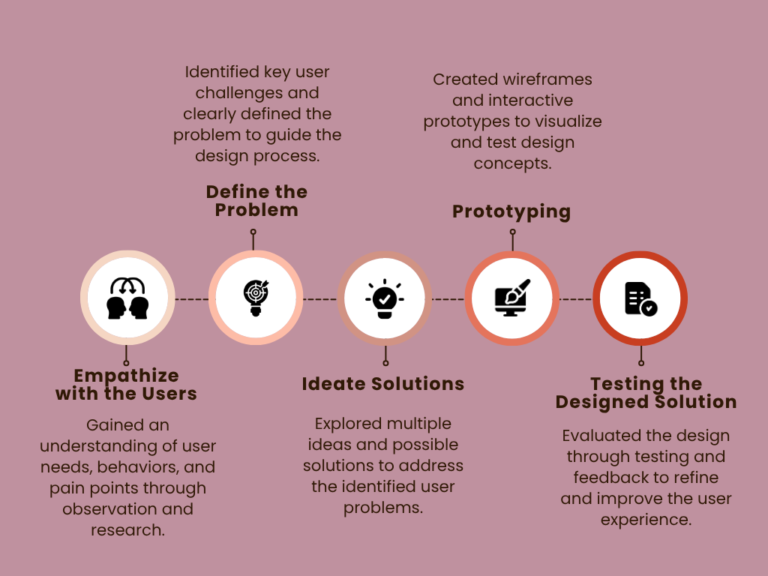
    I have utilized a design thinking process to identify user problems and create a user-friendly, goal-oriented design.

    This design thinking framework guided every decision—keeping real user needs at the center throughout.

    4. Empathy Map and User Personas

    Empathy Map

    Says

    • I want to buy authentic, meaningful handicraft items
    • I want online purchases and convenient delivery.
    • It’s hard to trust online stores for handicraft products
    • I want to learn the story behind each handicraft item

    Thinks

    • Will these products really be genuine?
    • Is this a trustworthy seller?
    • It would be easy to have an online shop where I can easily buy these products
    • I hope I can explore unique and meaningful items online
    • I want to support local culture while shopping

    Does

    • Browse multiple social media pages and online stores
    • Search for artisan information and product origins
    • Visit physical stores when online options are insufficient.
    • Compare prices and quality before buying
    • Share and gift handicraft items to family and friends

    Feels

    • Excited when discovering unique crafts
    • Frustrated by limited and unreliable online shops
    • Frustrated when the existing online sources do not update properly
    • Confident and satisfied when learning the artisan’s story
    • Difficult to visit multiple physical stores
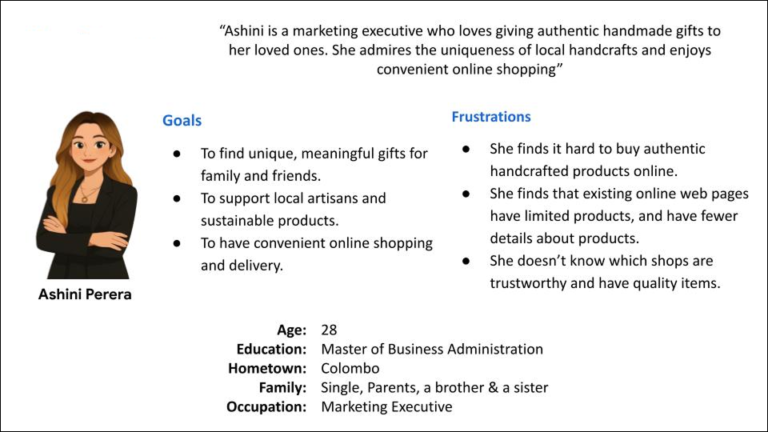
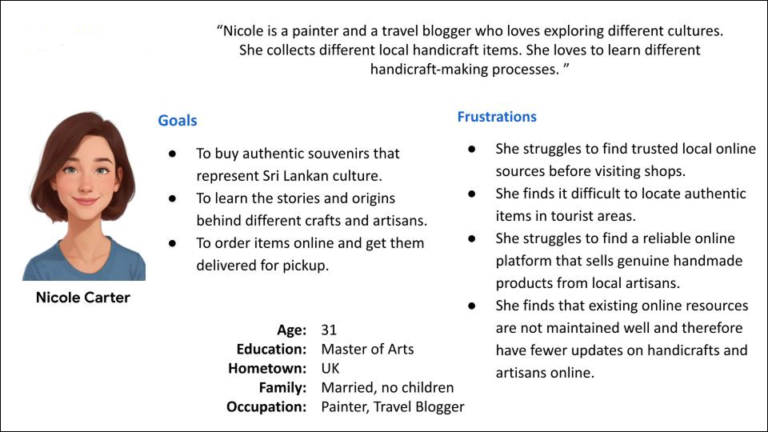
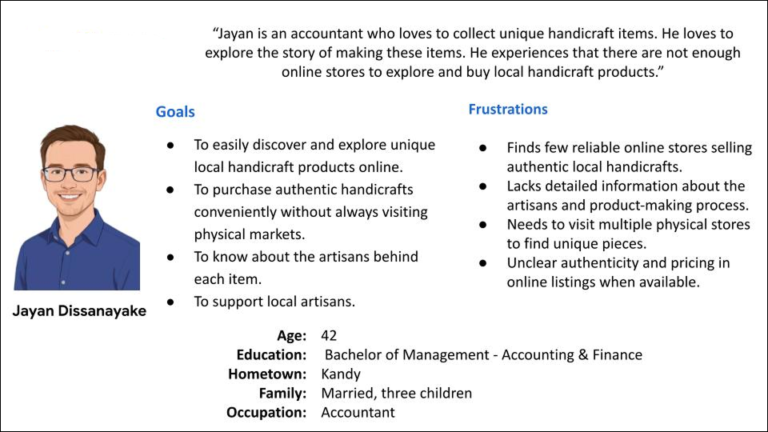
    User Personas
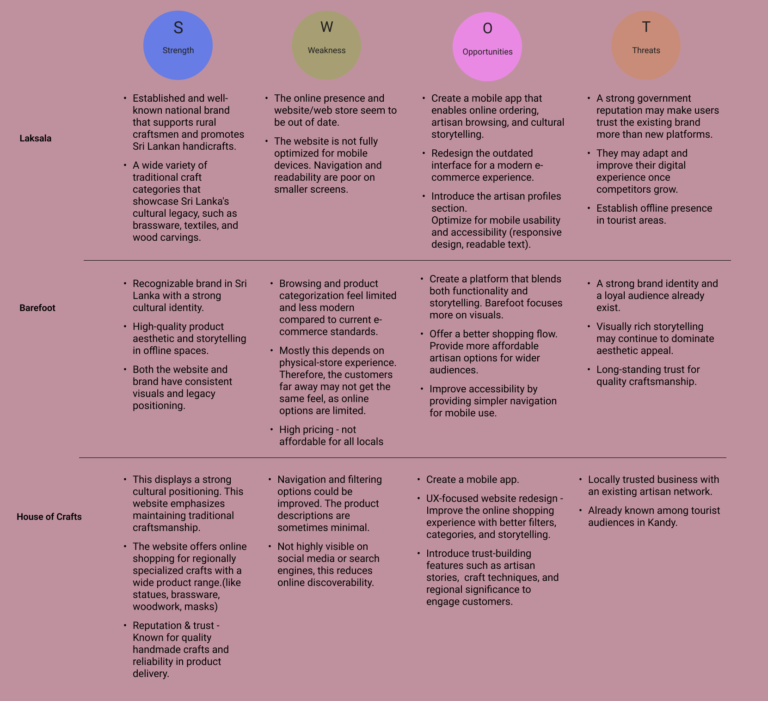
    5. Competitor Analysis
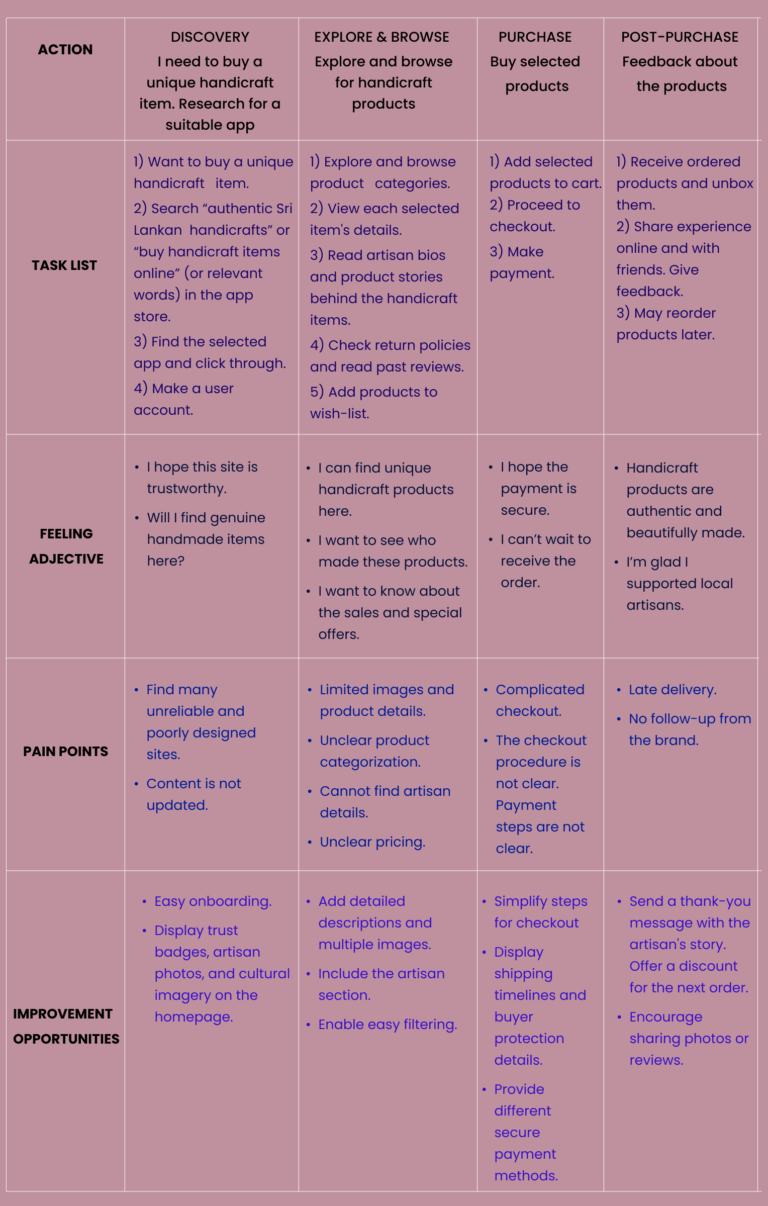
    6. User Journey Map
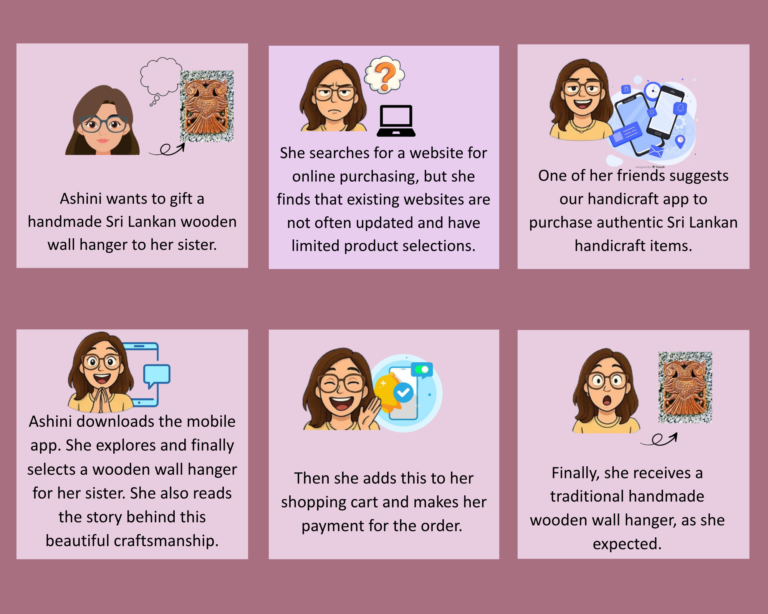
    7. Storyboard
    8. Identified Pain Points and Desired Outcomes

    Summary of Identified Pain Points

    • Lack of trust & authenticity
    • Fragmented and outdated platforms
    • Unclear pricing & reliability
    • Inconvenient discovery
    • Poor artisan & product information 

    Summary of Desired Outcomes

    • A trusted, verified marketplace
    • Convenient online shopping without hidden details
    • Easy discovery of unique handicrafts
    • Rich cultural and artisan storytelling
    9. Proposed Solution

    The handicraft app provides local buyers and international visitors in Sri Lanka with a trusted digital marketplace to discover, learn about, and purchase authentic Sri Lankan handicrafts. By combining verified artisan profiles, detailed product descriptions, and a seamless buying experience, the platform helps users shop with confidence while understanding the cultural value behind each item.

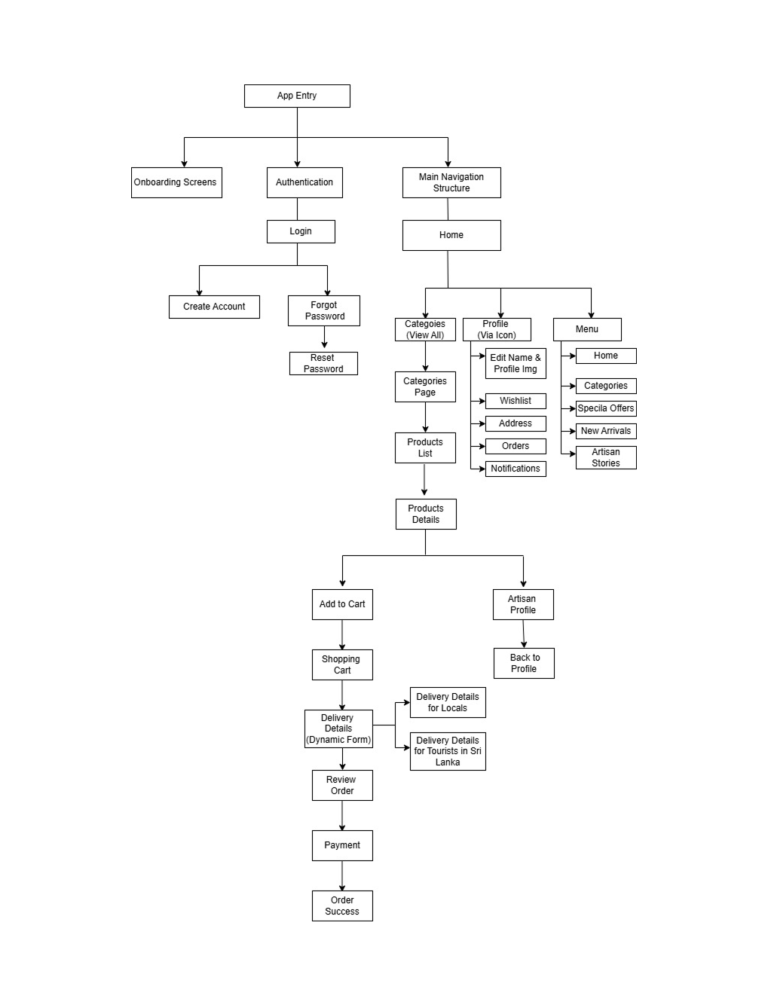
    10. Information Architecture
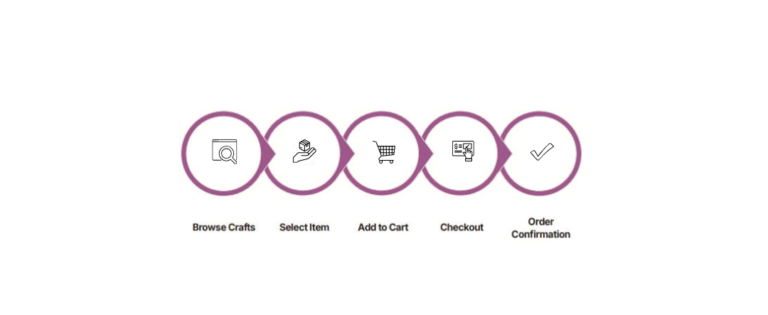
    • To ensure a seamless and intuitive experience, the app structure was mapped before moving into wireframing.

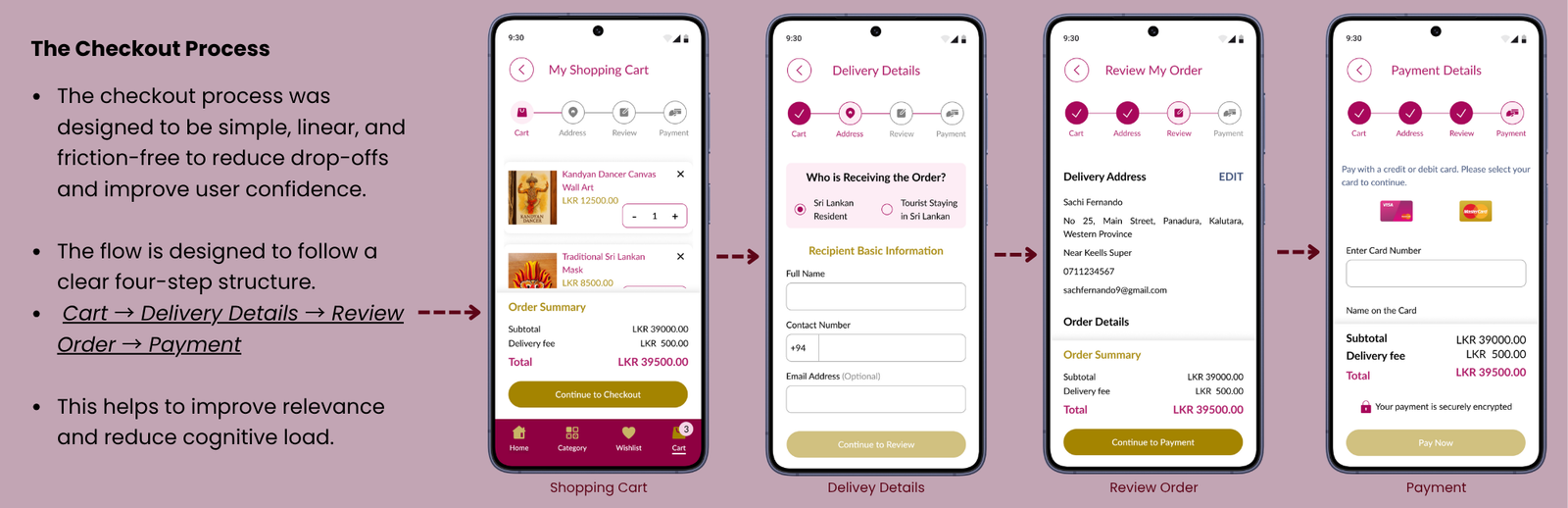
    • Therefore, when deciding the information architecture for this app, it separates into 3 main sections: authentication, main navigation, and transaction flow. This would help to ensure clarity in user pathways while maintaining a scalable and predictable navigation system.

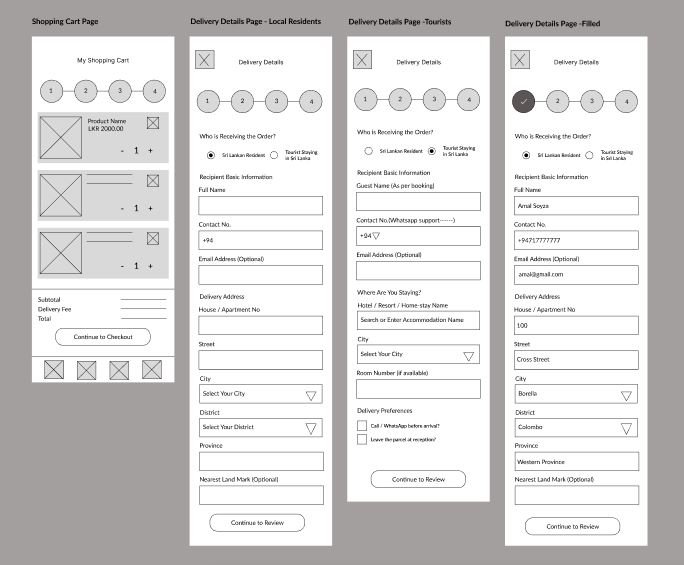
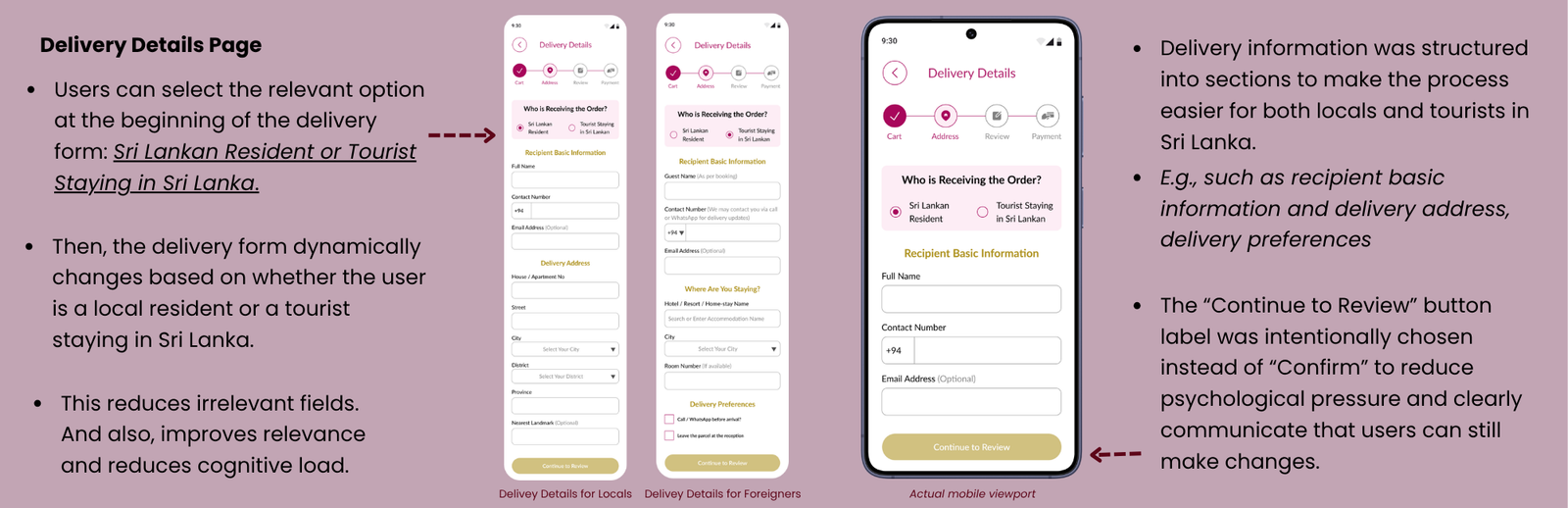
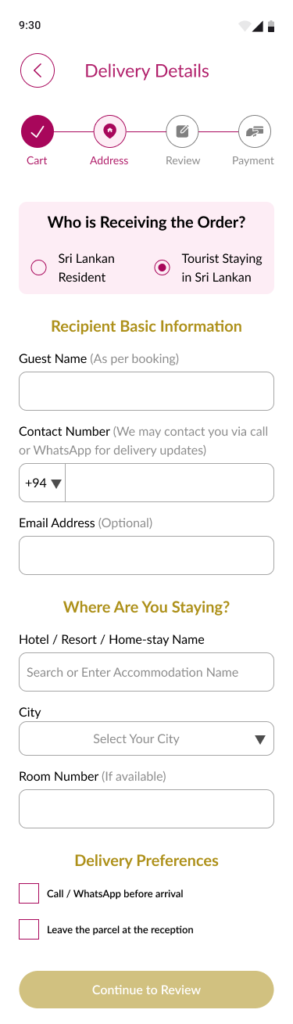
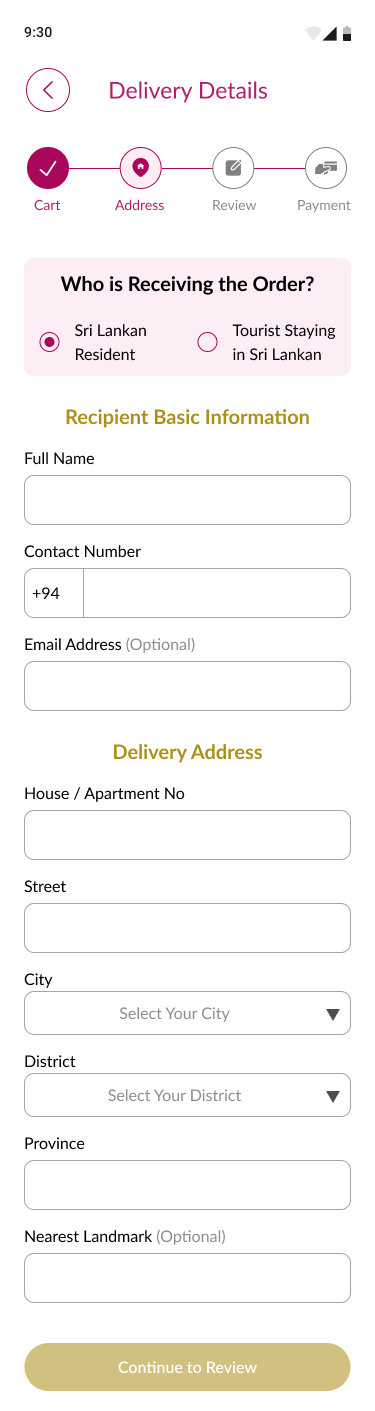
    • Conditional form logic was introduced in the delivery stage to adapt the experience based on user type.

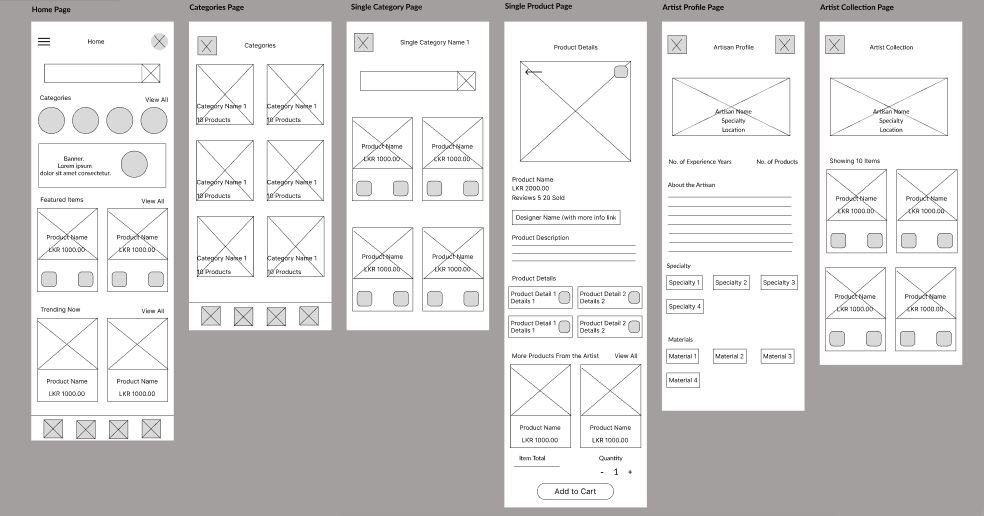
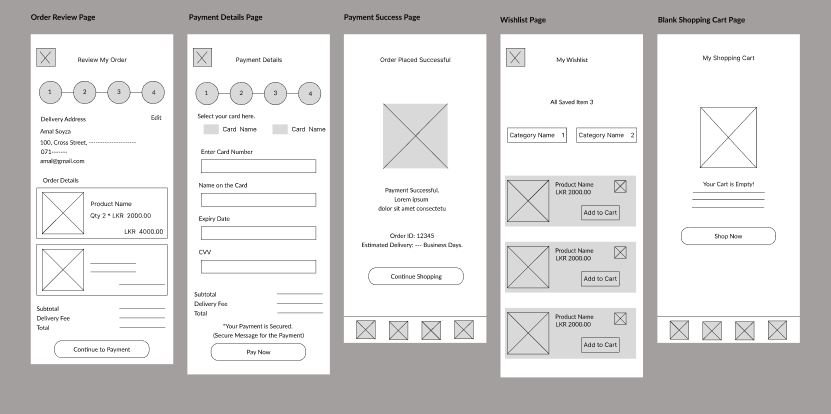
    11. Wireframes
    12. Color Tokens

    Design Tokens

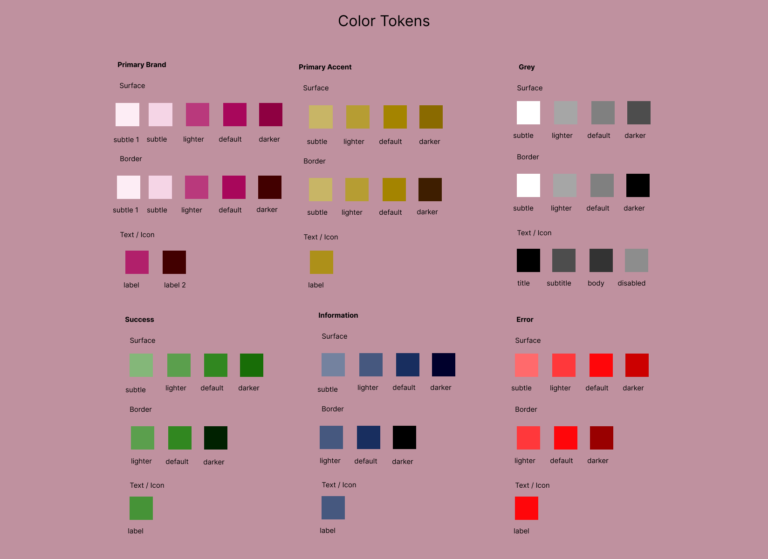
    • All colors are structured as design tokens, as in the following image.

    • An example is  “Primarybrand/Text/Label”

    • This helps to improve:

    • Consistent usage across screens
    • Easy theming and updates
    • This token-based system ensures the UI remains scalable, maintainable, and accessible.

    Primary Brand Color

    • #A8075B

    • A deep, warm tone used to represent authenticity, tradition, and craftsmanship.

    • This color is applied to brand identity. Multiple tonal variations were created as design tokens (e.g., 100 to 900).

    Accent Color

    • #A48400

    • A golden accent color inspired by handmade value and cultural richness.

    • It is used selectively for: Call-to-action highlights and key emphasis elements.


    Neutral Colors (Greys) → White, black, and greys

    Semantic Colors Green, blue, and red for success, information, and error
    13. Typography

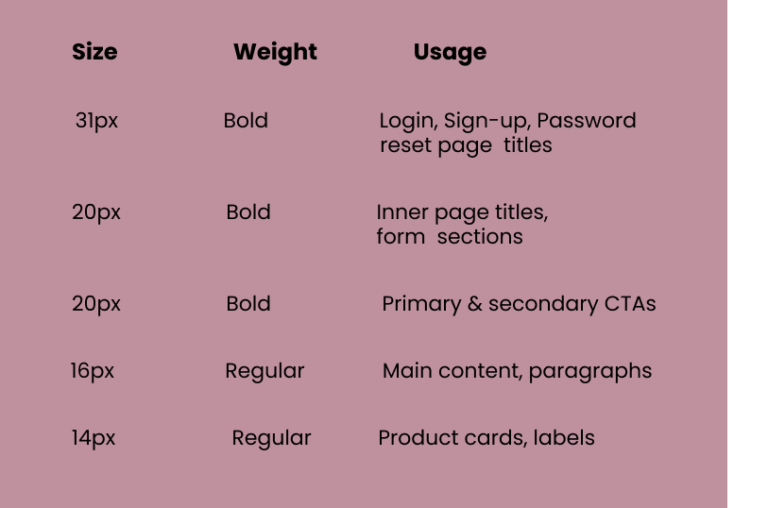
    “Lato” is used as the primary font.

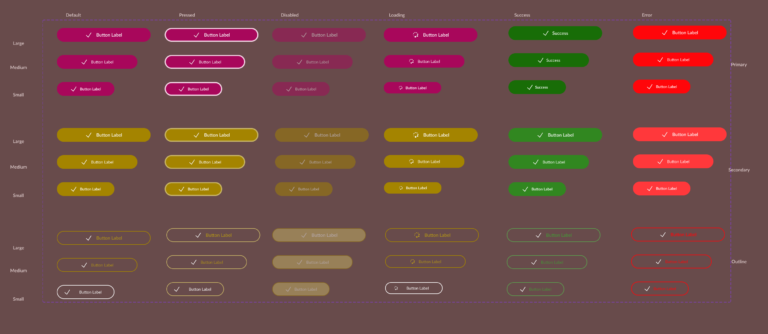
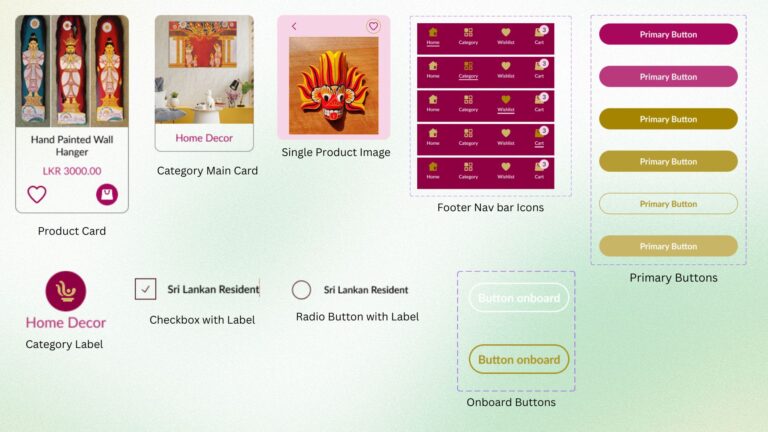
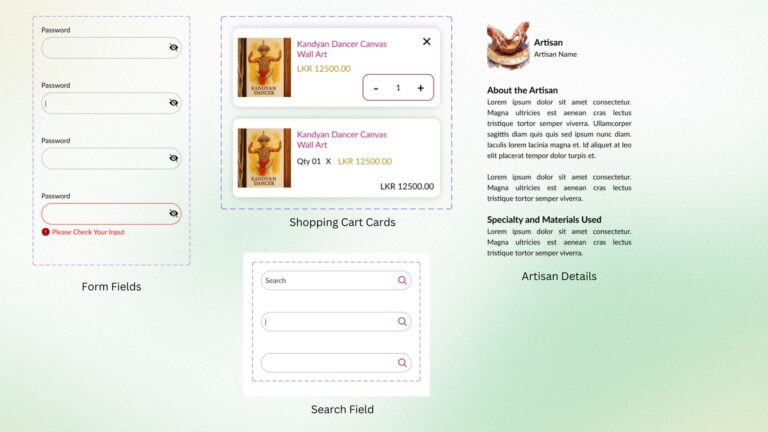
    14. Components
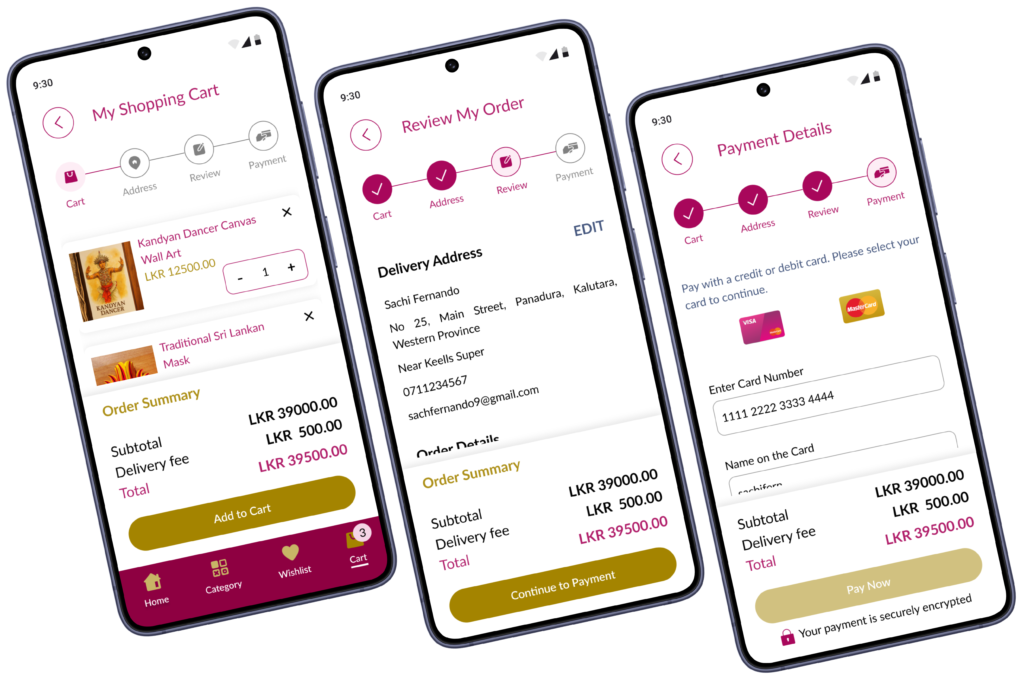
    15. Design Decisions and Mobile Design UI Screens

    Design Decisions

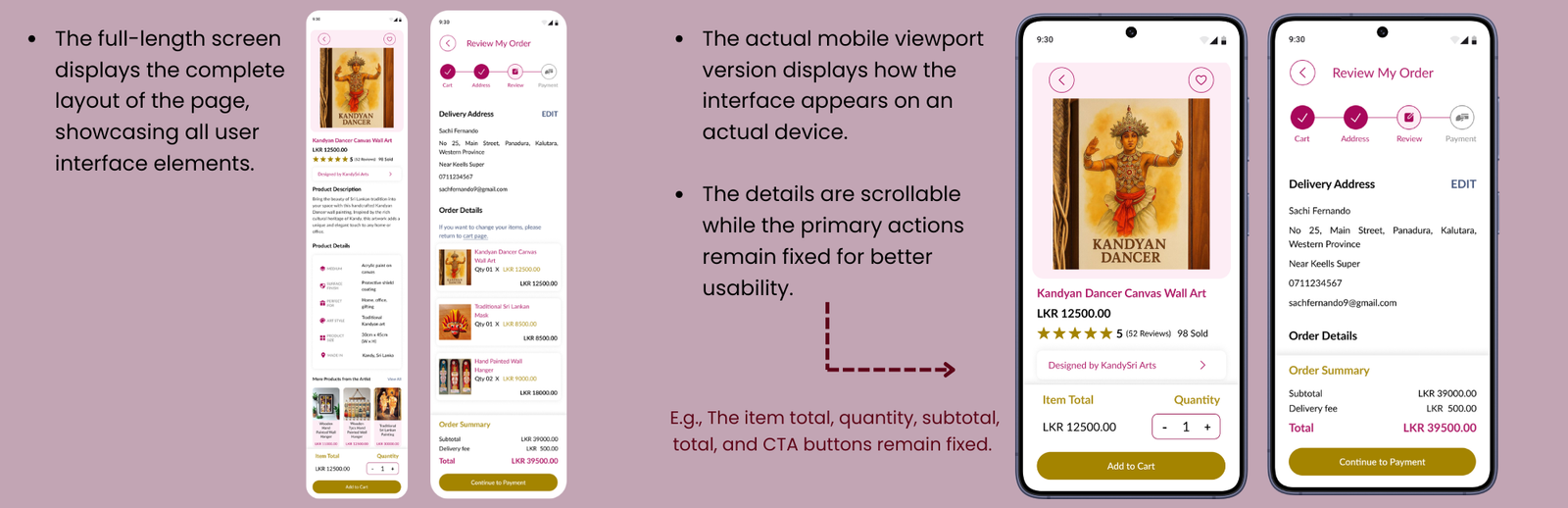
    1) Design Layout and Scrolling Behavior

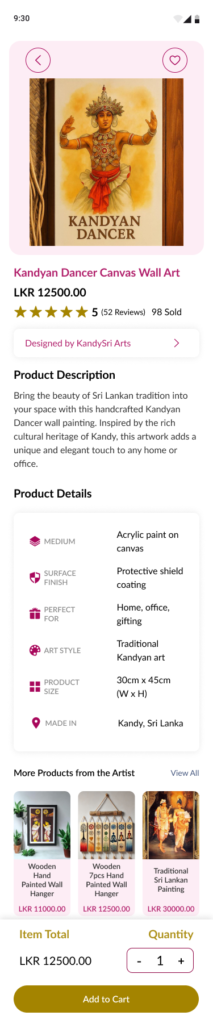
    • Therefore, for those screens I add both the full-length screen and the actual mobile viewport version.


    2) Concerns in Screens Designing

    MOBILE DESIGN UI SCREENS

    1) Design Layout and Scrolling Behavior

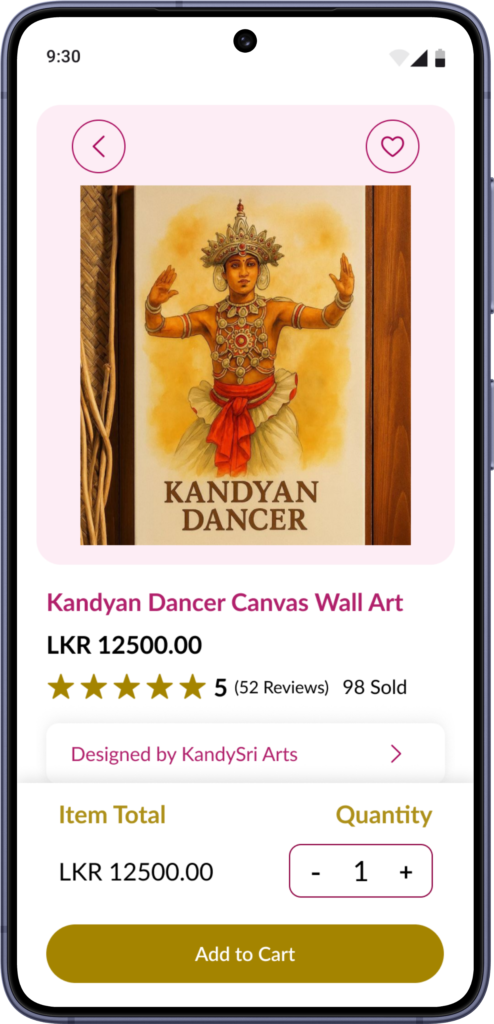
    Actual mobile viewport for
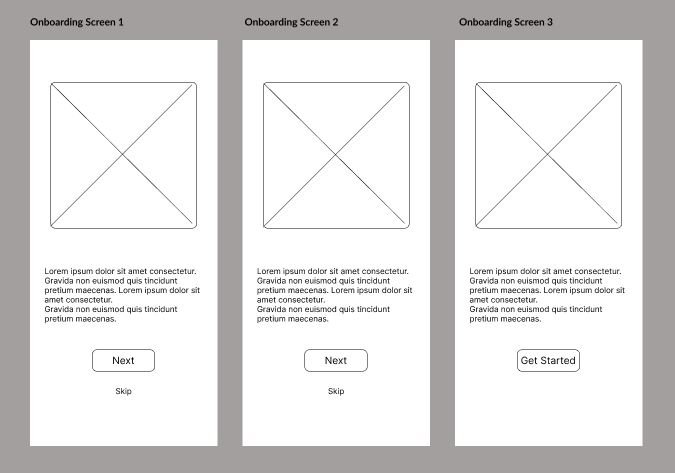
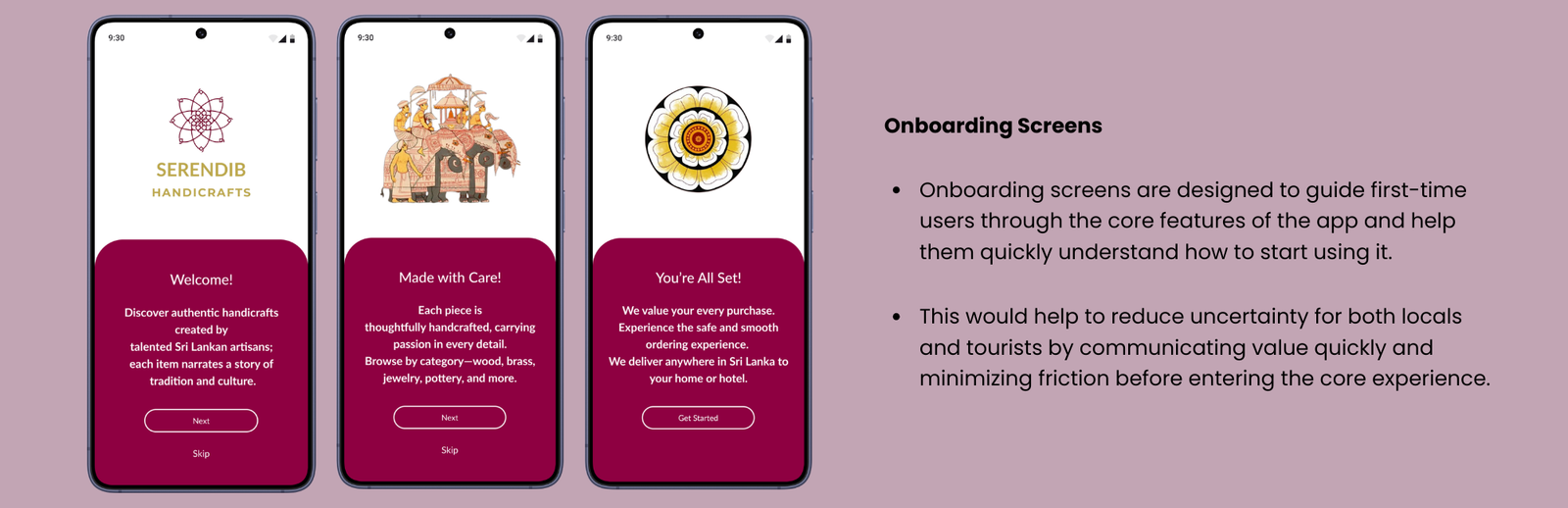
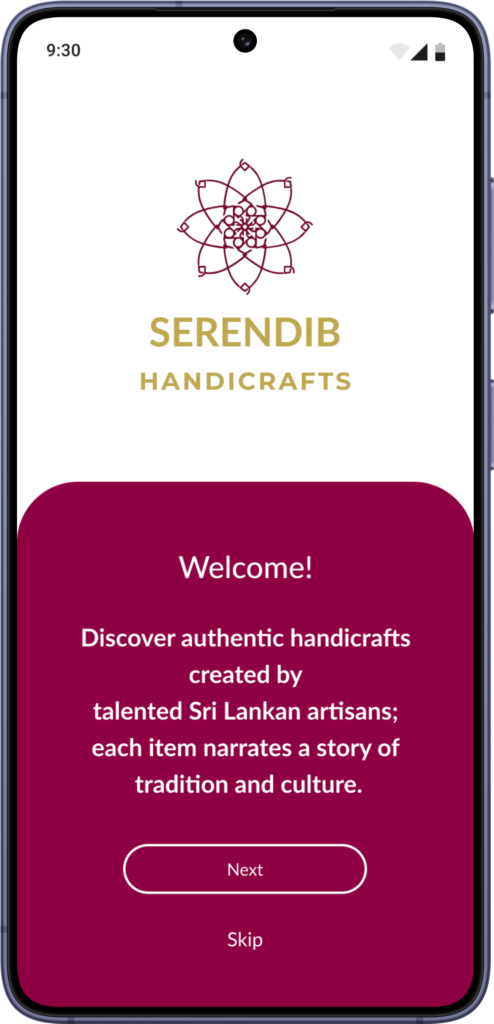
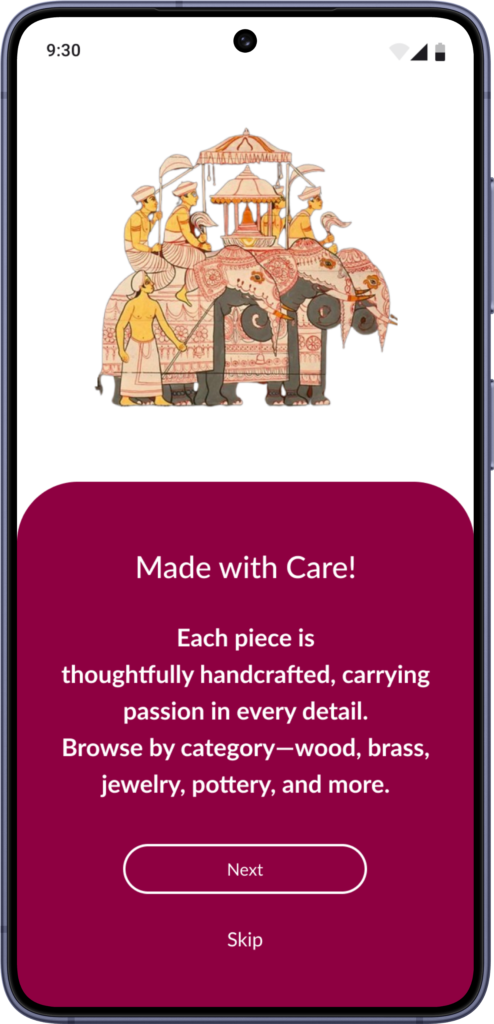
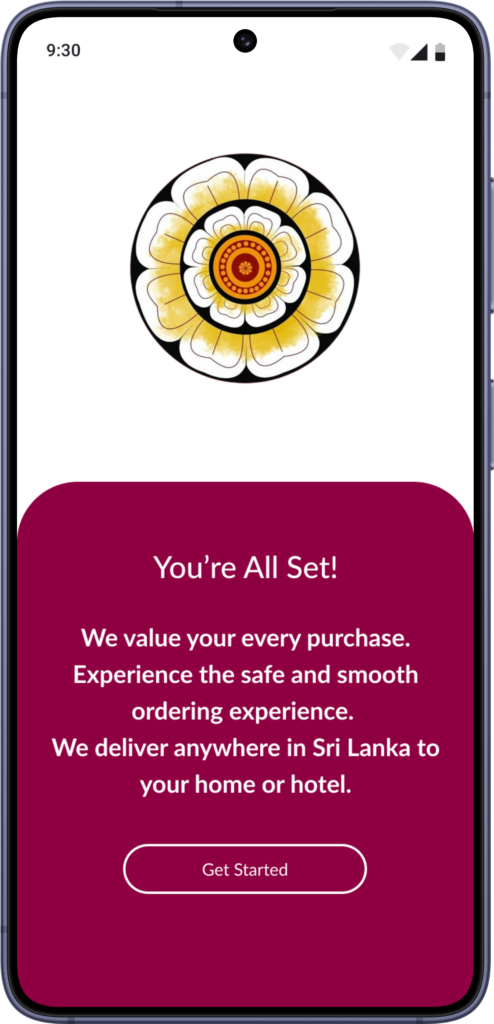
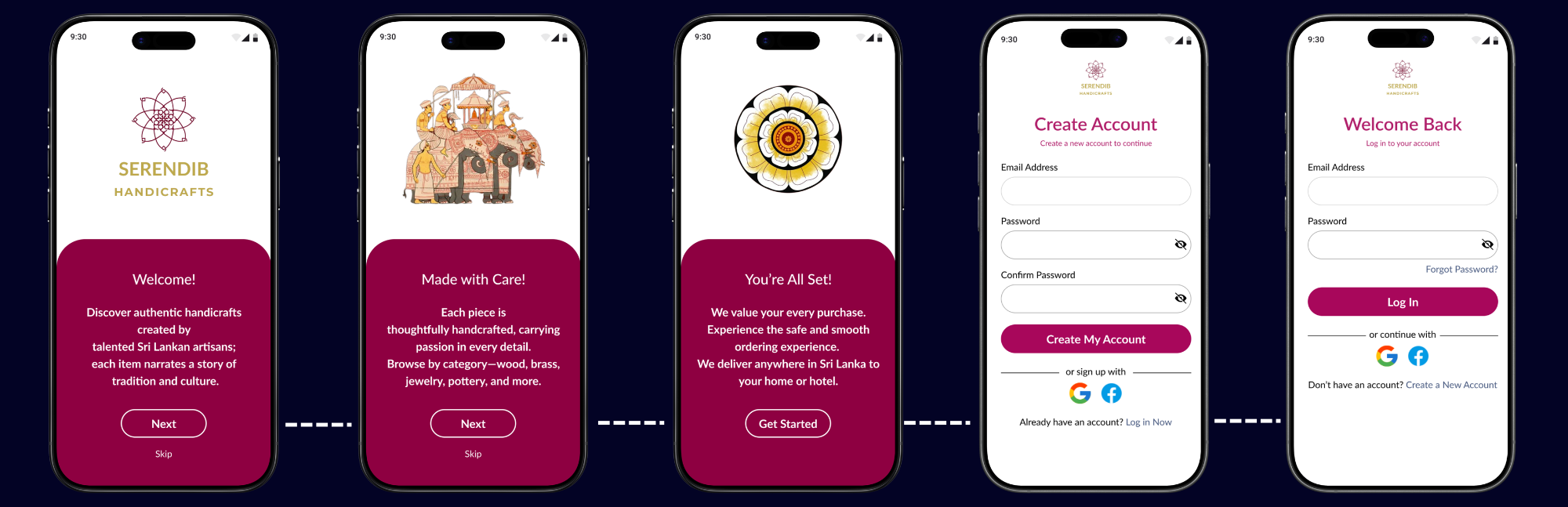
    • Onboarding Screens

    Actual mobile viewport for
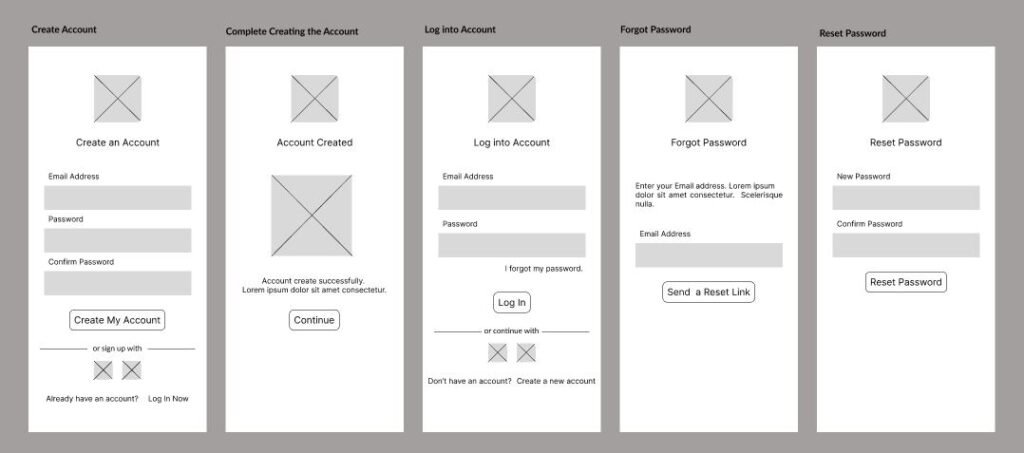
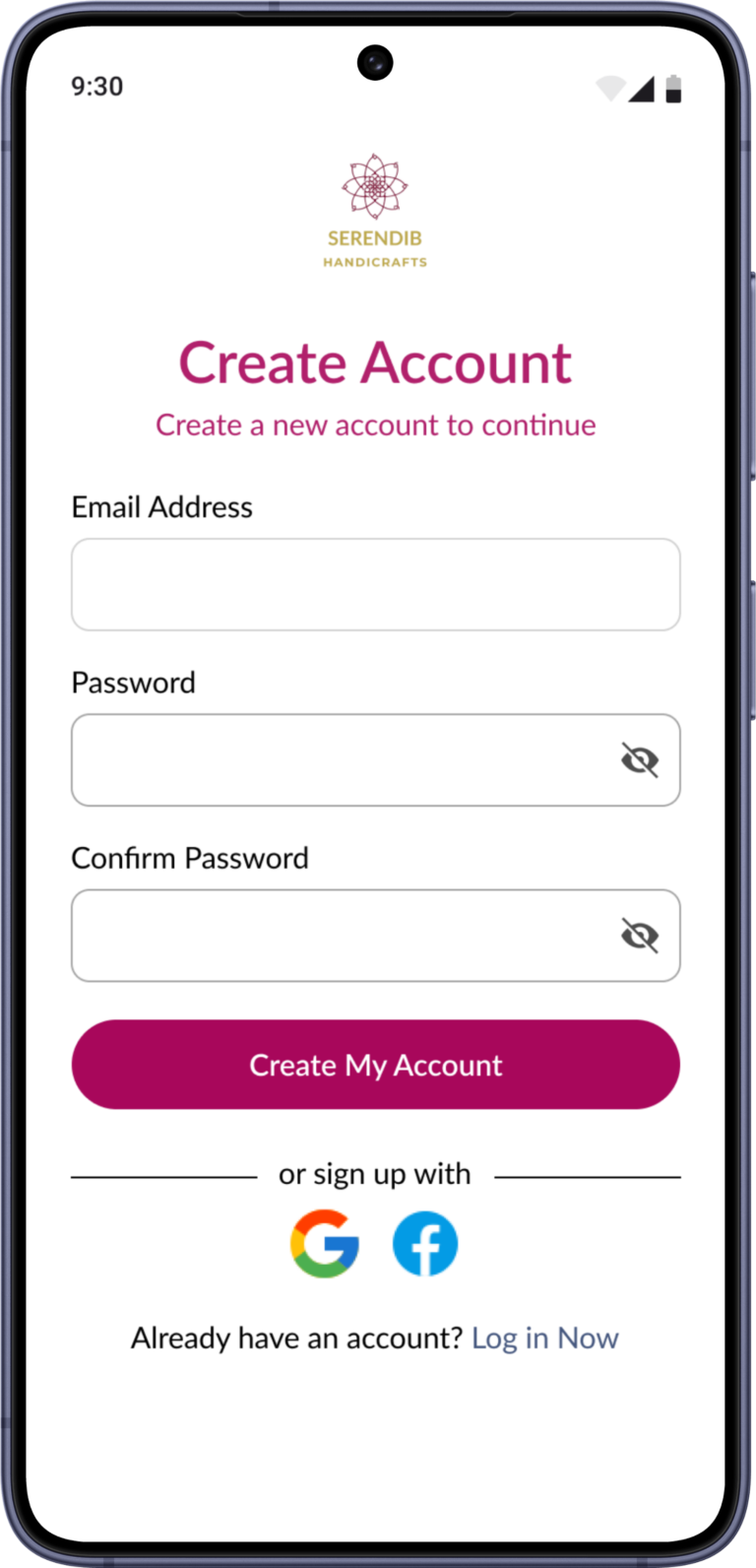
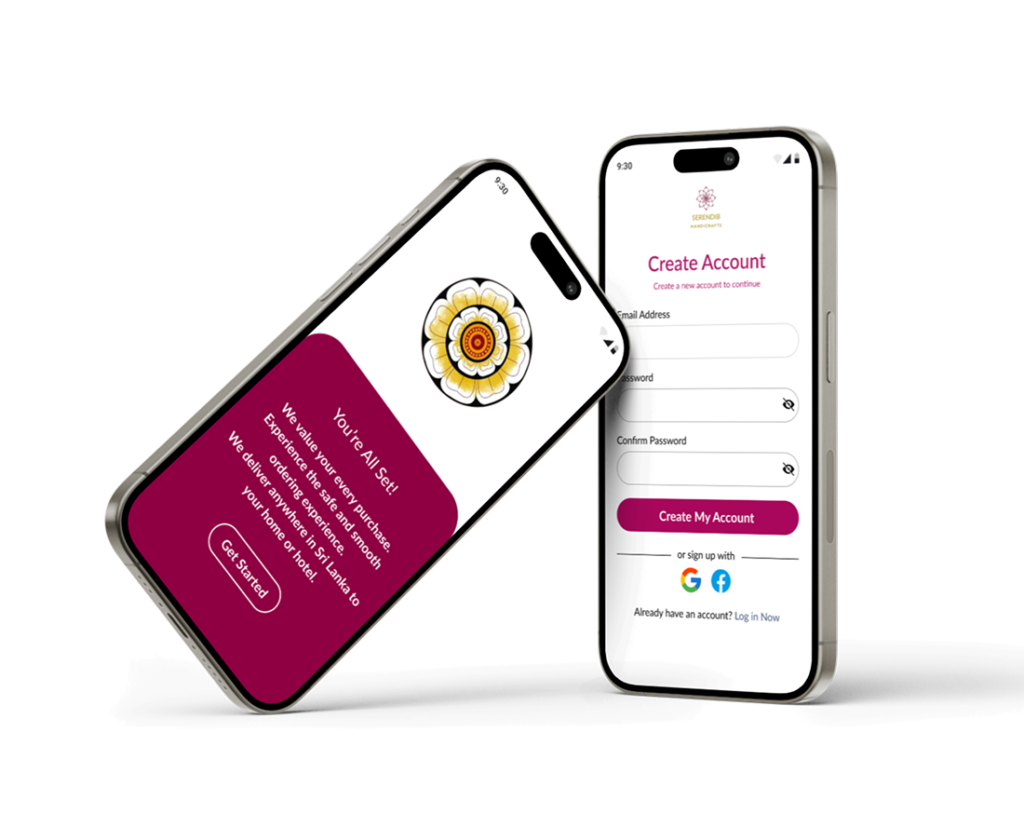
    • User Account Create Screen
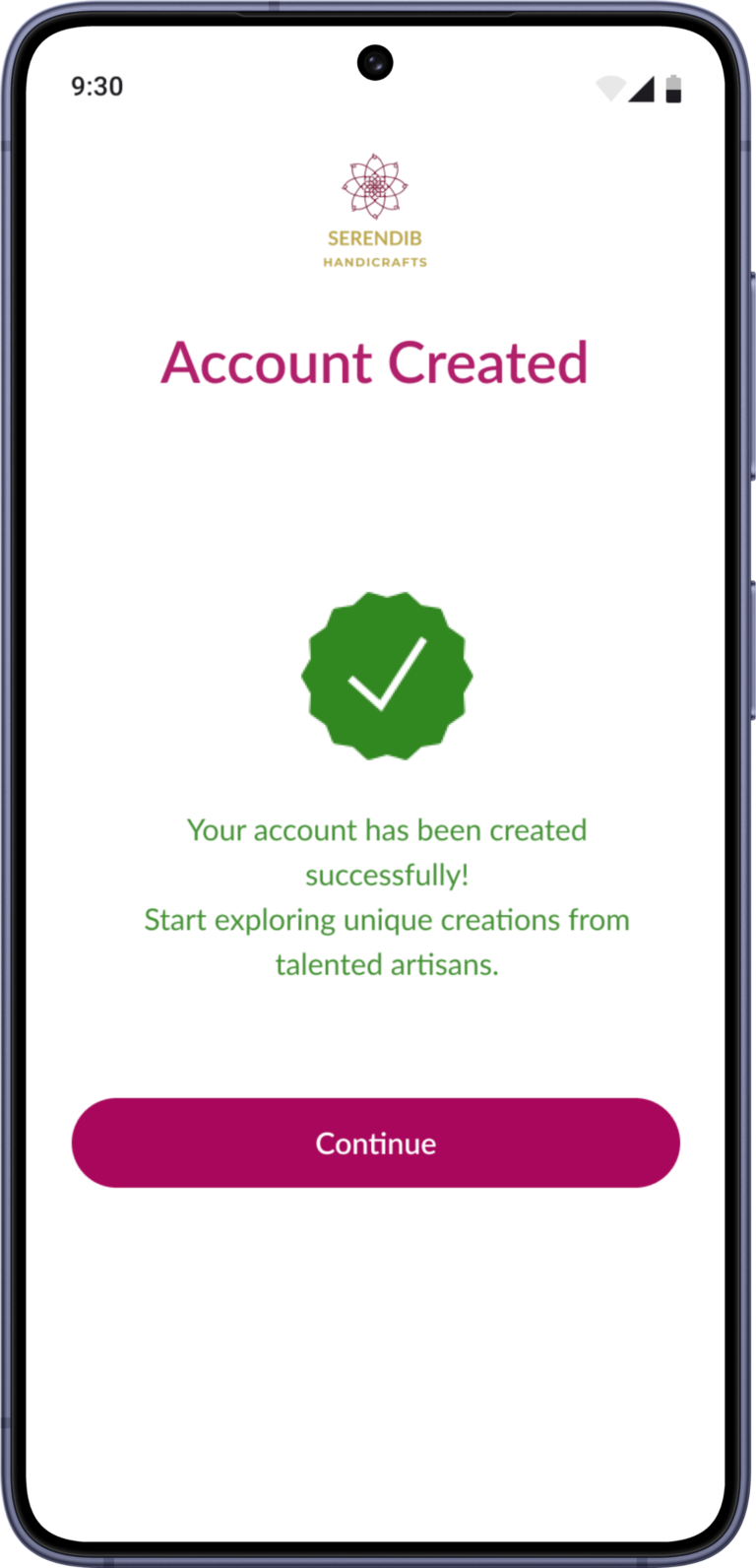
    • Account Creation Success Screen
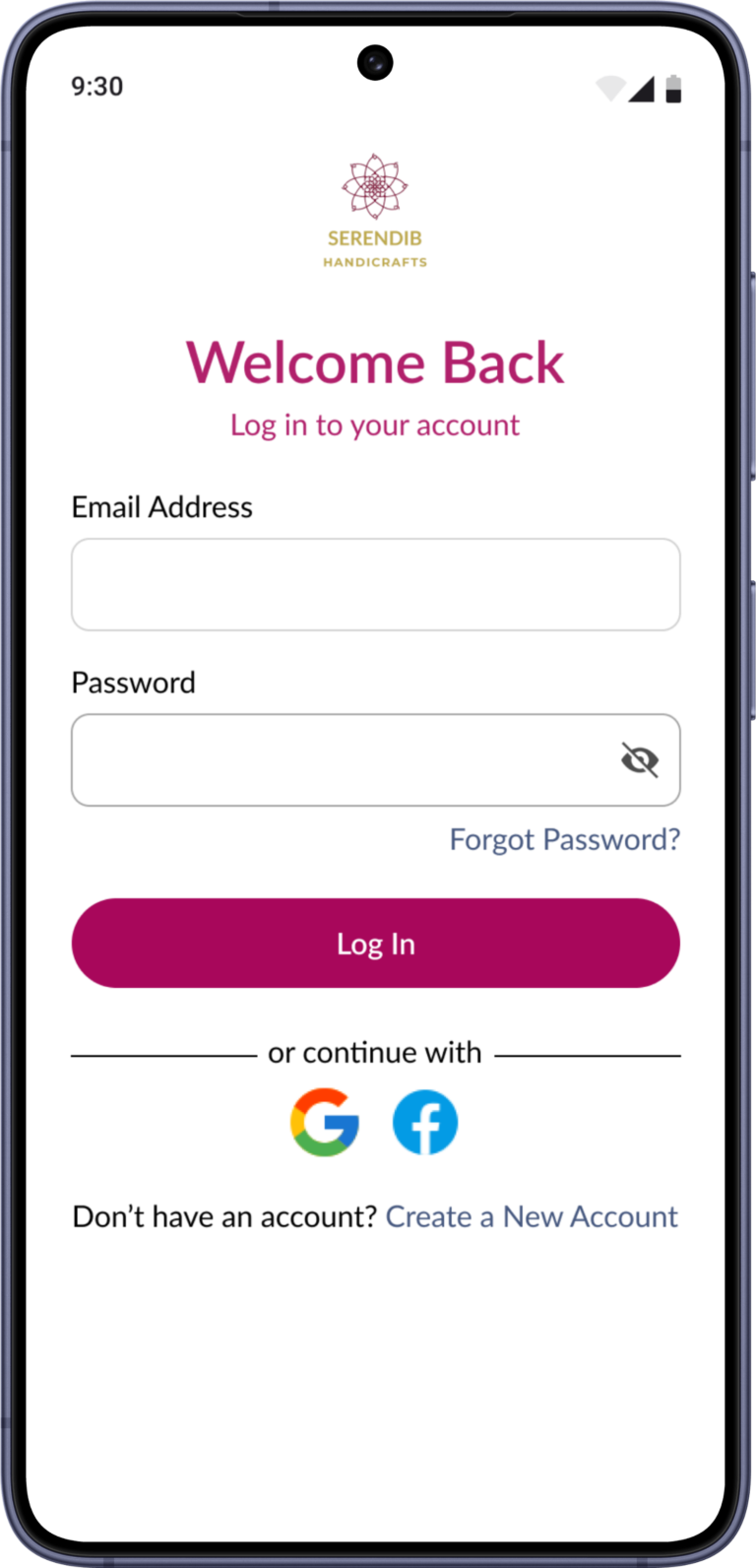
    • User Login Screen
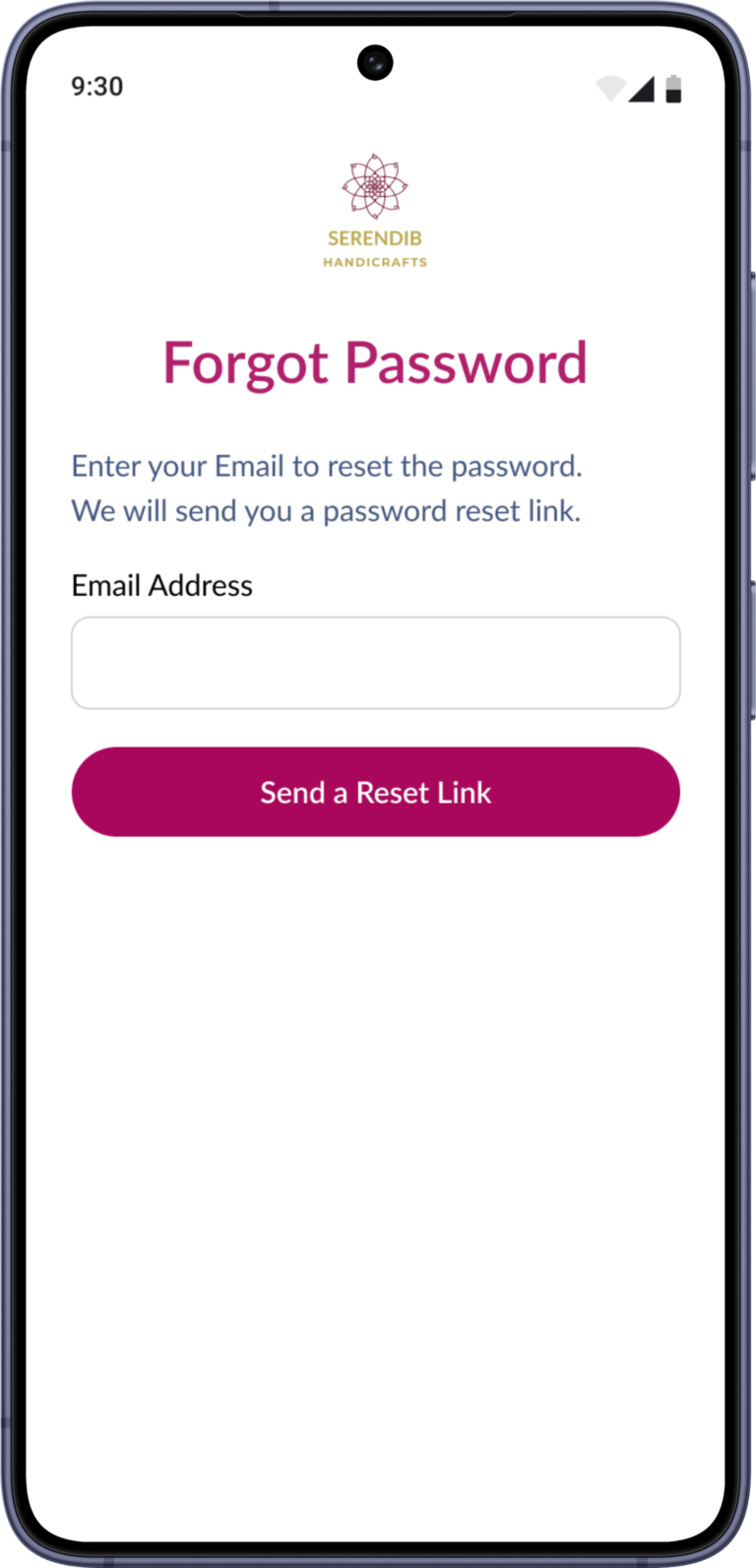
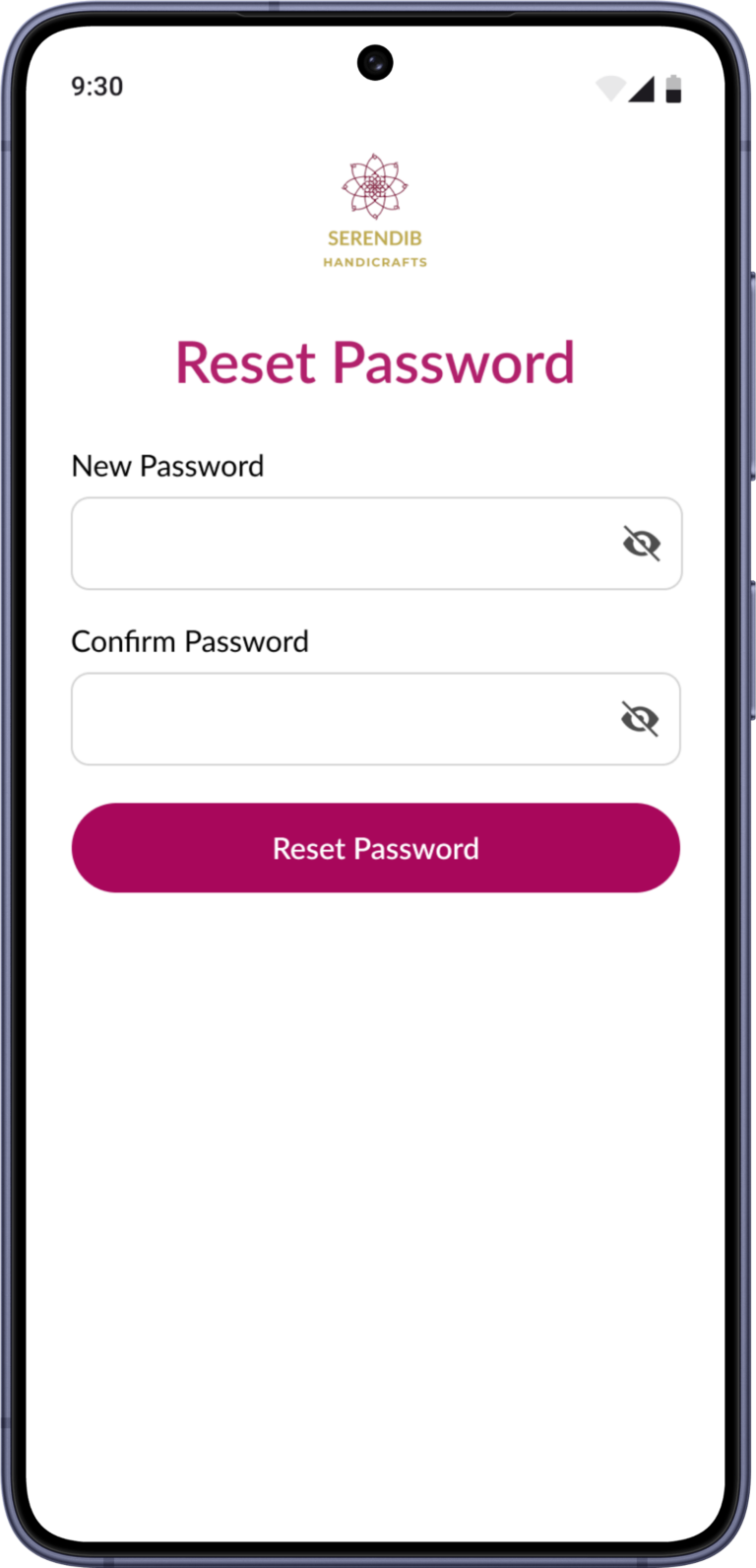
    • Forgot Password Screen
    • Passowrd Reset Screen

    Actual mobile viewport for
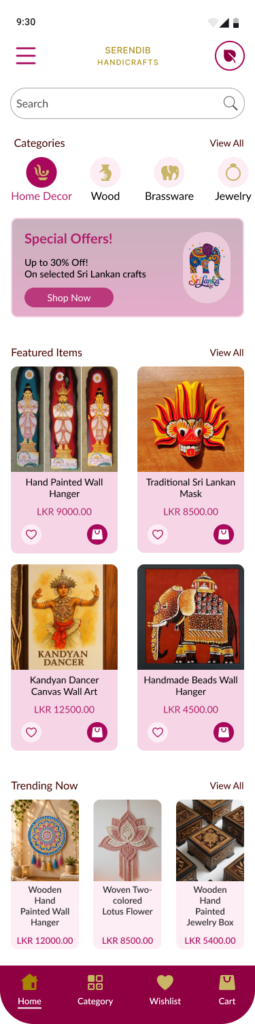
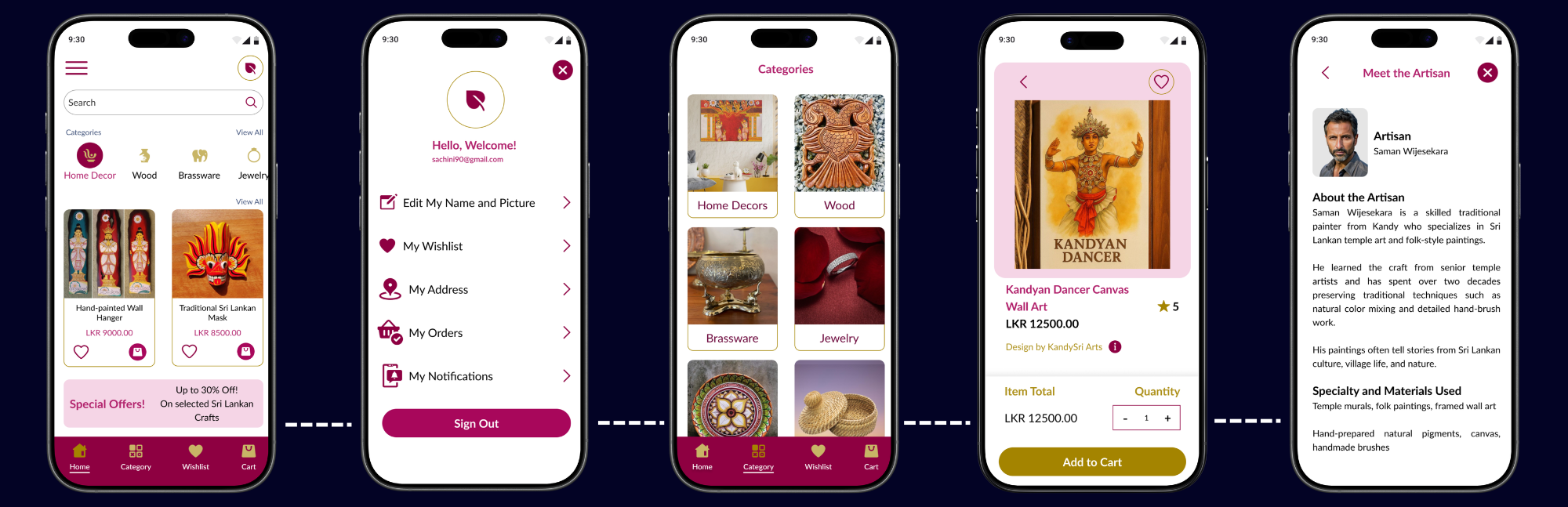
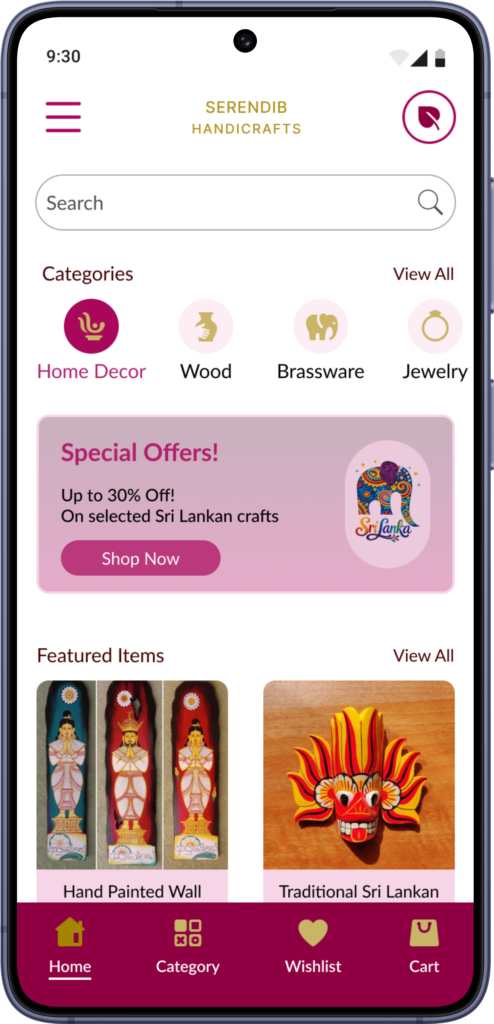
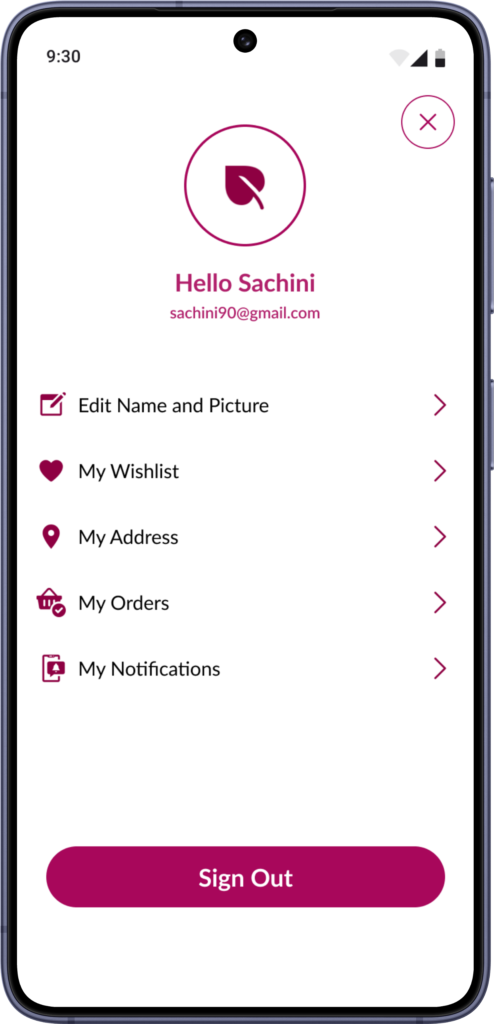
    • Home Page
    • Profile Page 
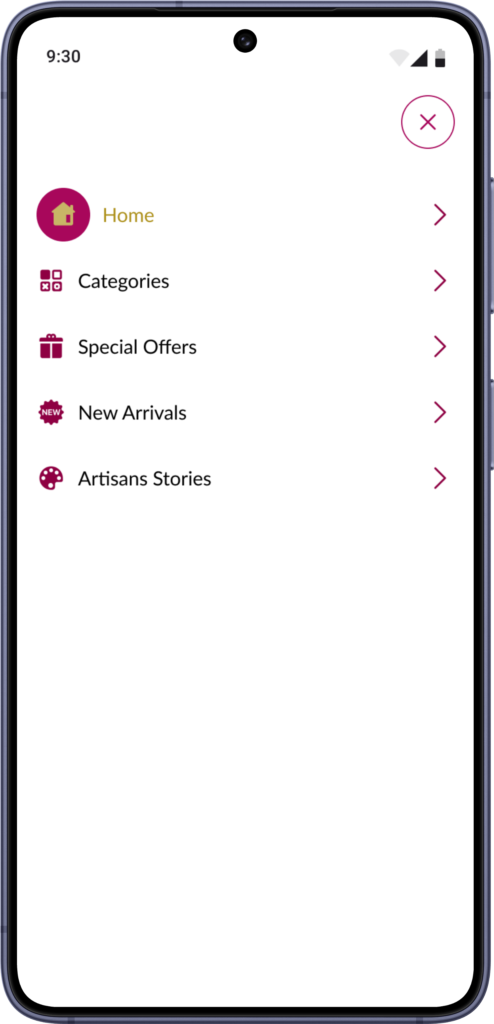
    • Menu Page

    Actual mobile viewport for
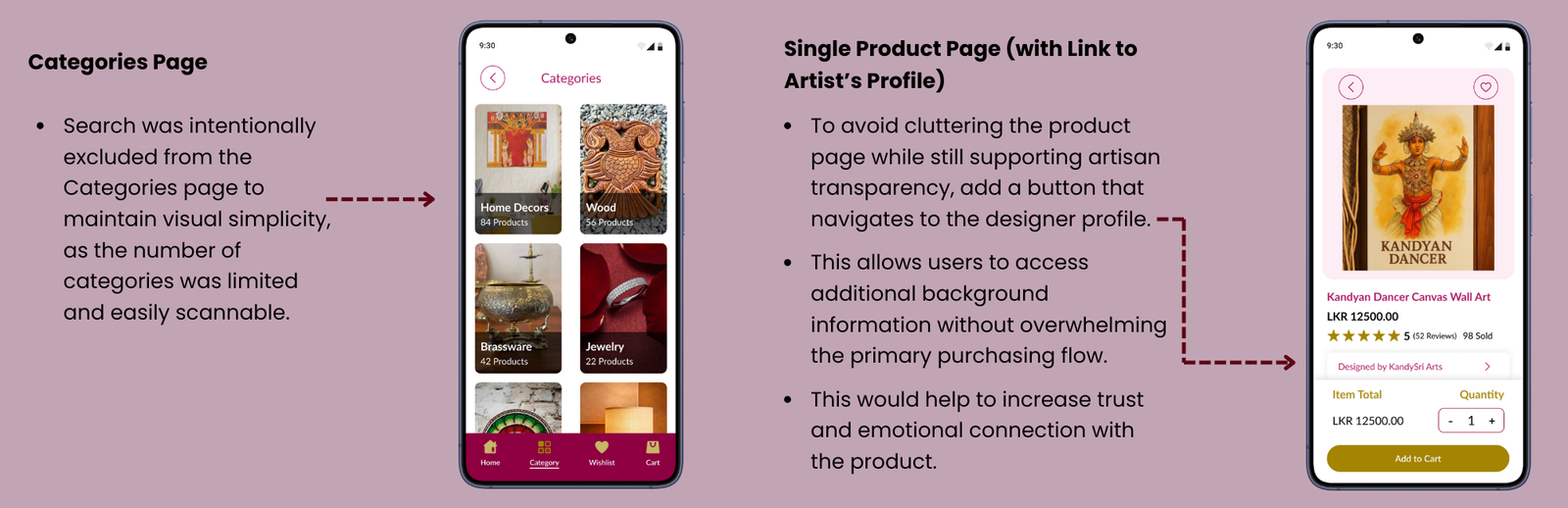
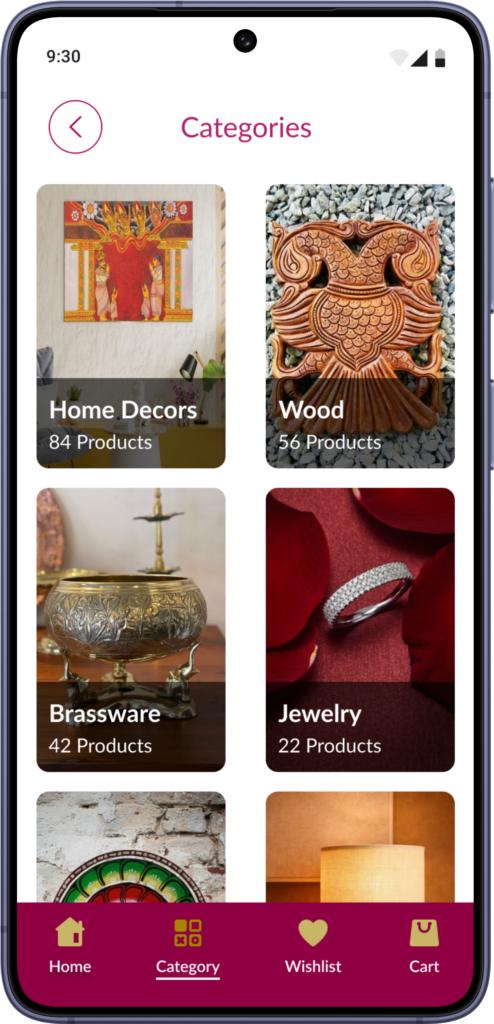
    • All Categories Page
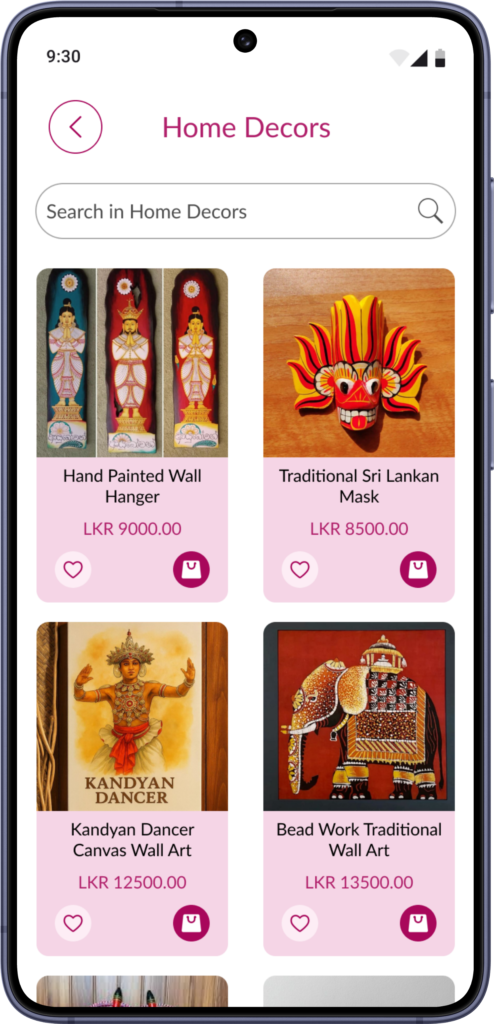
    •  Products List Page for a Selected Category

    Full-length screens for
    • Single Prodcut Page
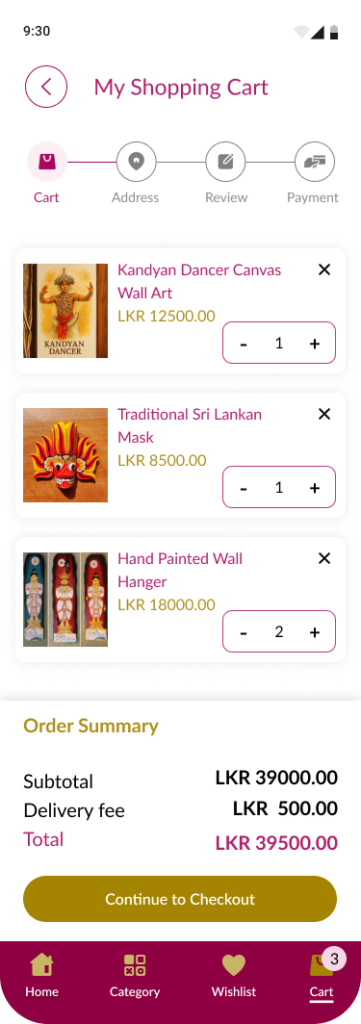
    •  Shopping Cart Page


    Actual mobile viewport for
    • Single Prodcut Page
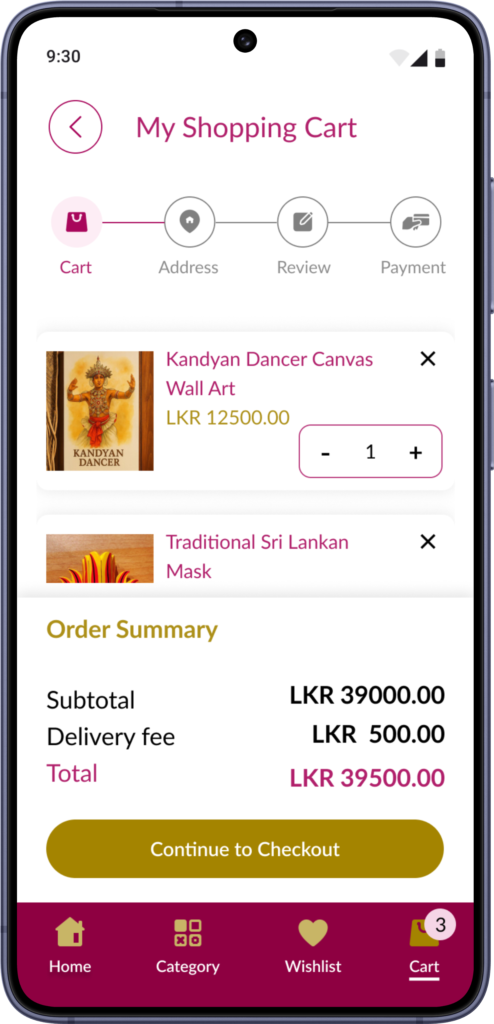
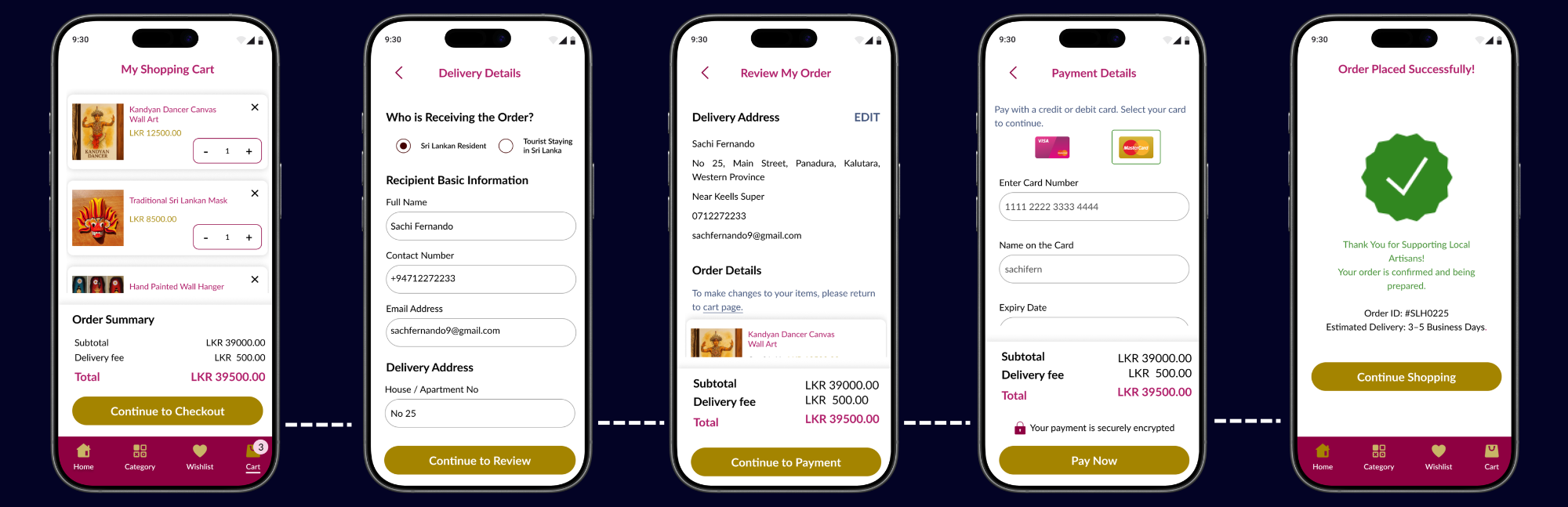
    •  Shopping Cart Page

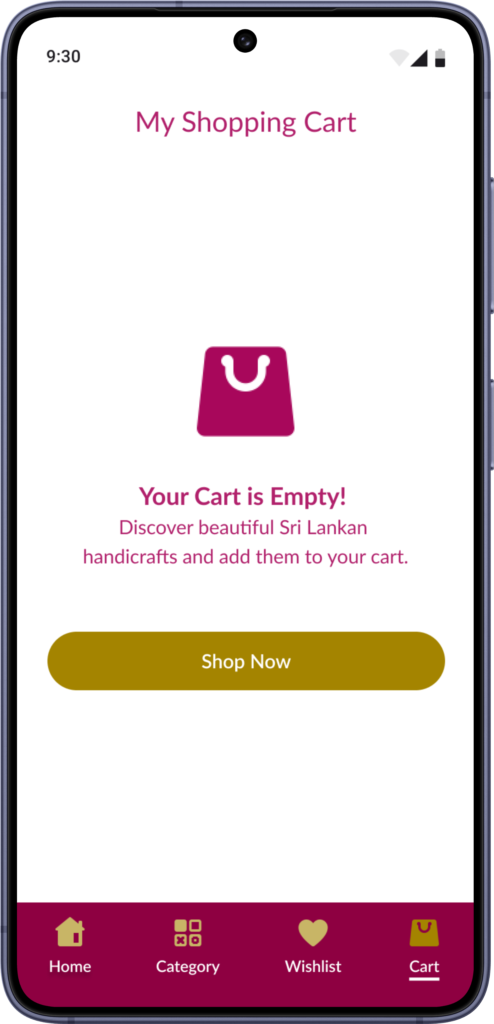
    Actual mobile viewport for
    • Empty Shopping Cart Page 
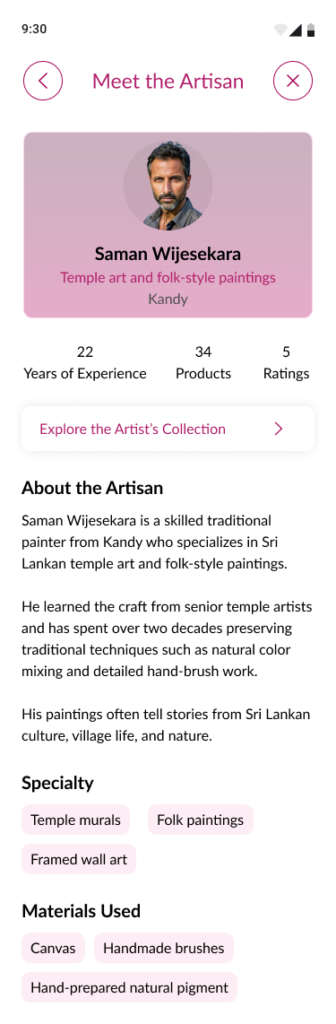
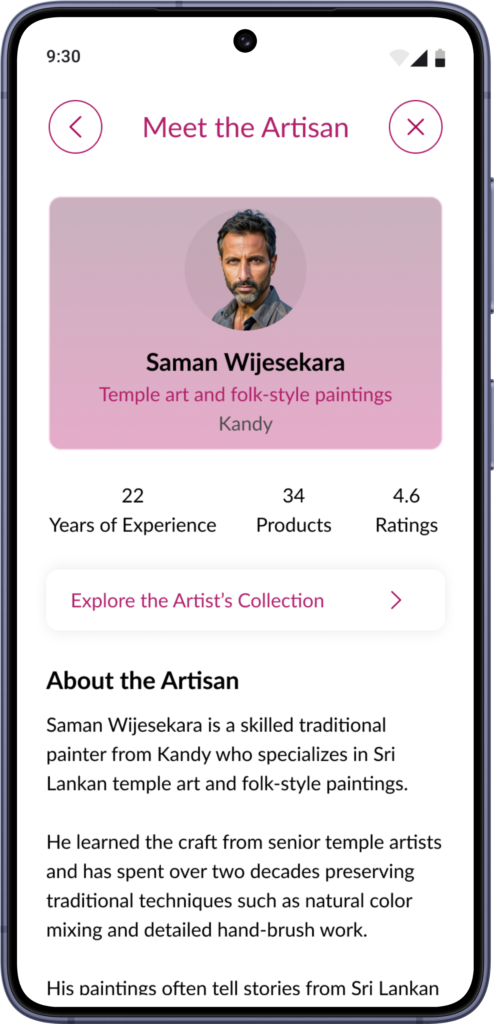
    • Artisan Profile Page

    Full-length screens for
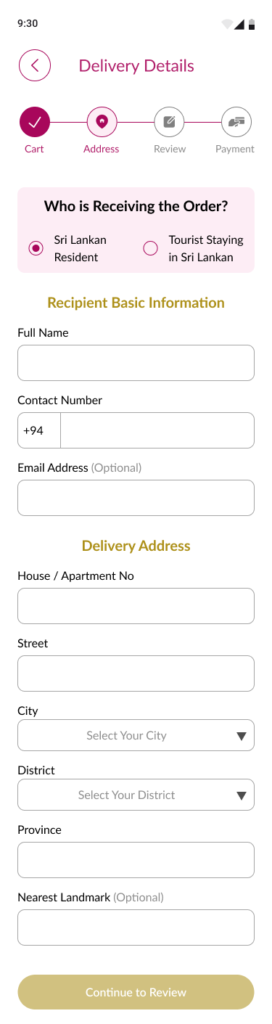
    • Delivery Details for Sri Lankan Residents
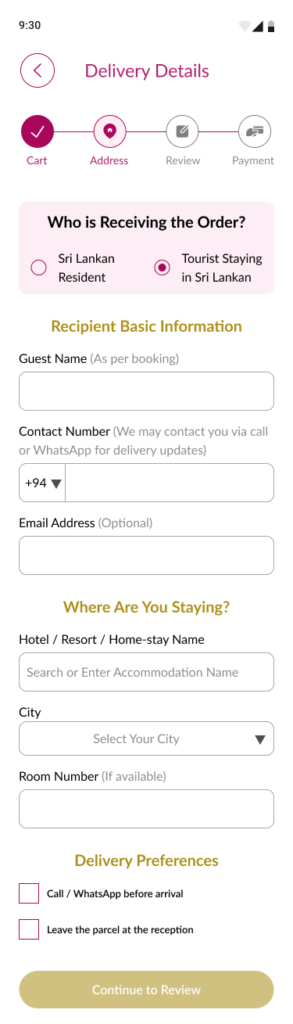
    • Delivery Details for Tourists in Sri Lanka Screens
     
    Actual mobile viewport for
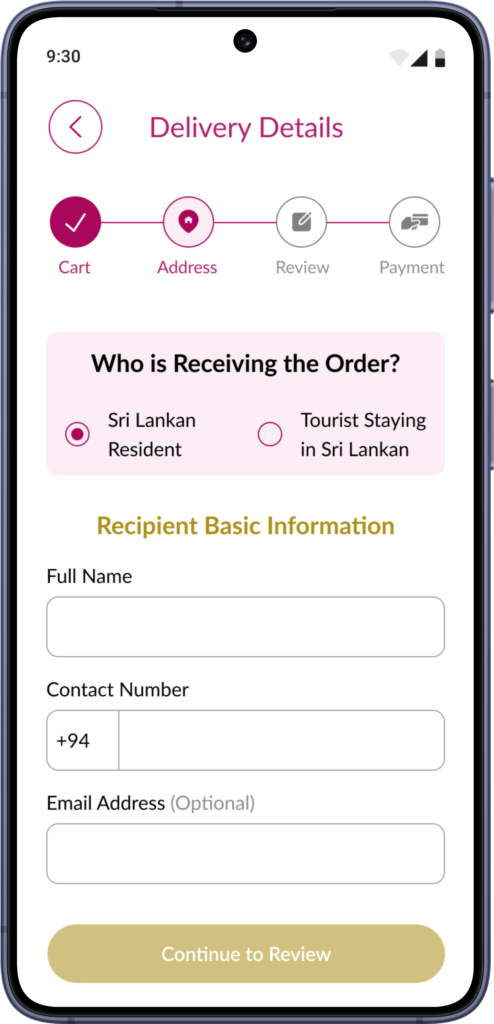
    • Delivery Details for Sri Lankan Residents
    • Delivery Details for Tourists in Sri Lanka Screens
     

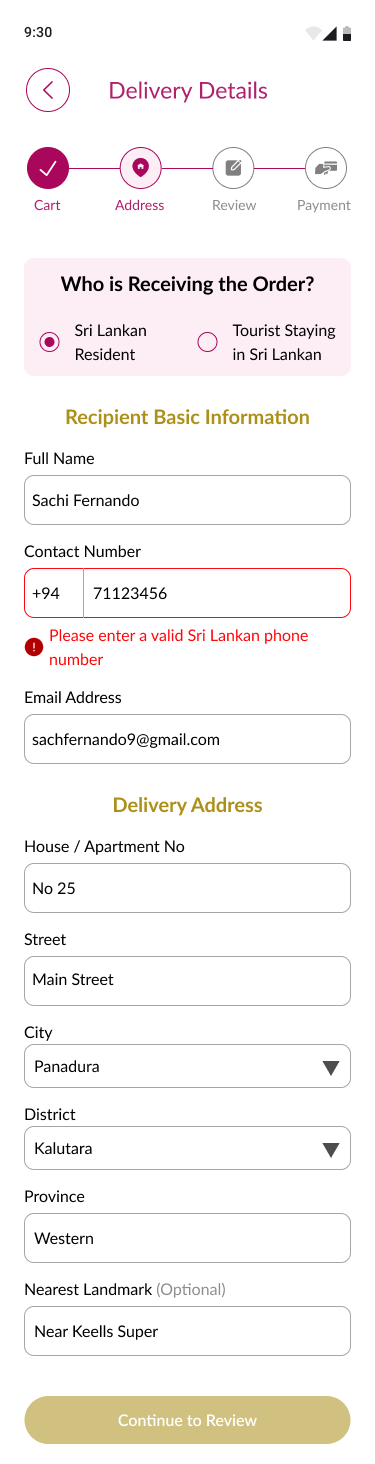
    Full-length screens for
    • Delivery Details with Error State 
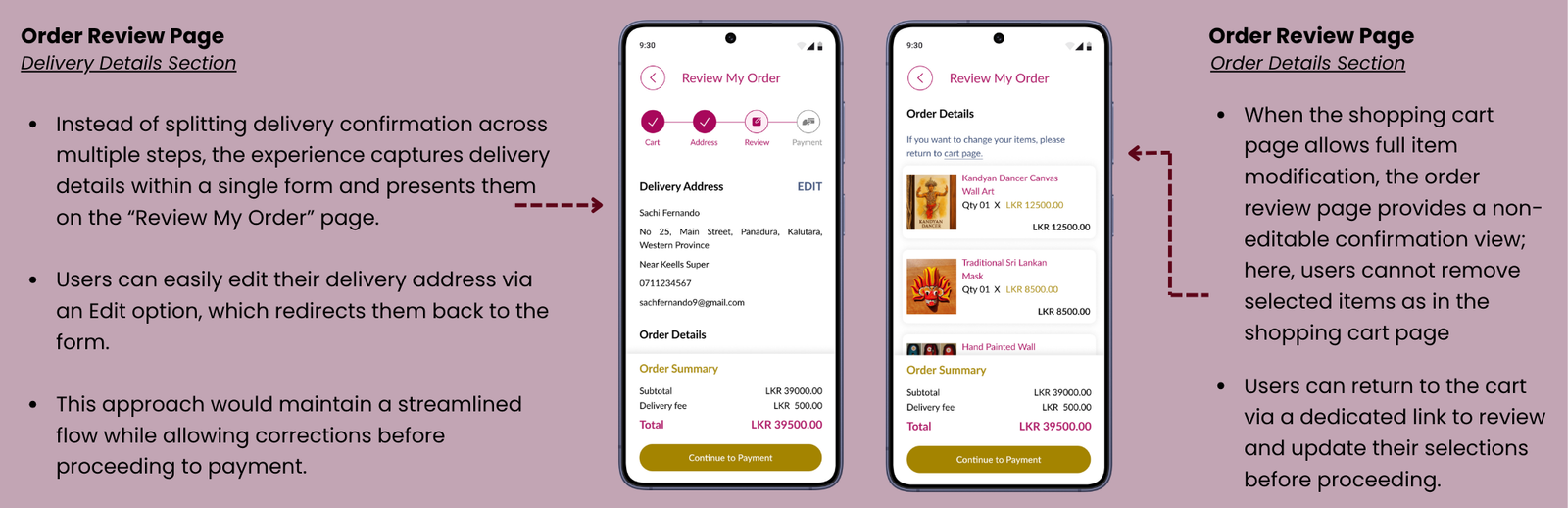
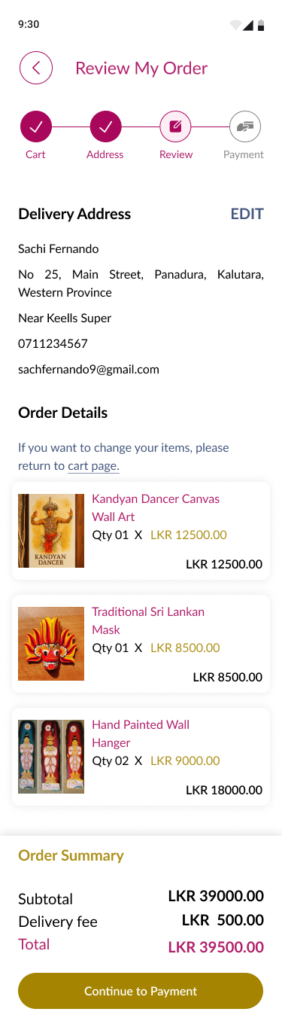
    • Review Order Summary Page 

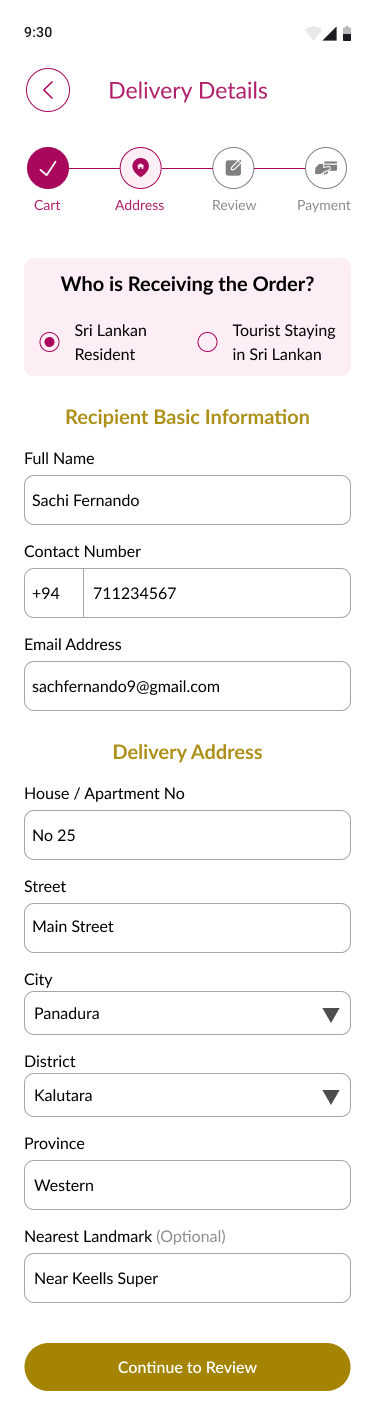
    Actual mobile viewport for
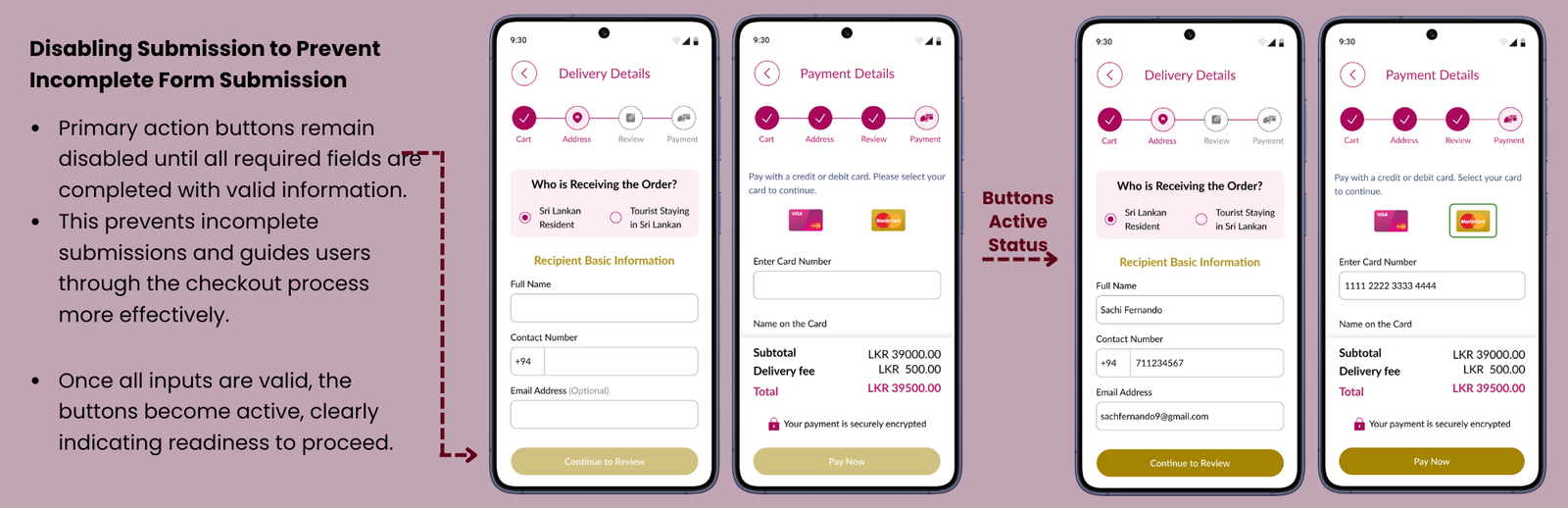
    • Delivery Details Page with Added Data
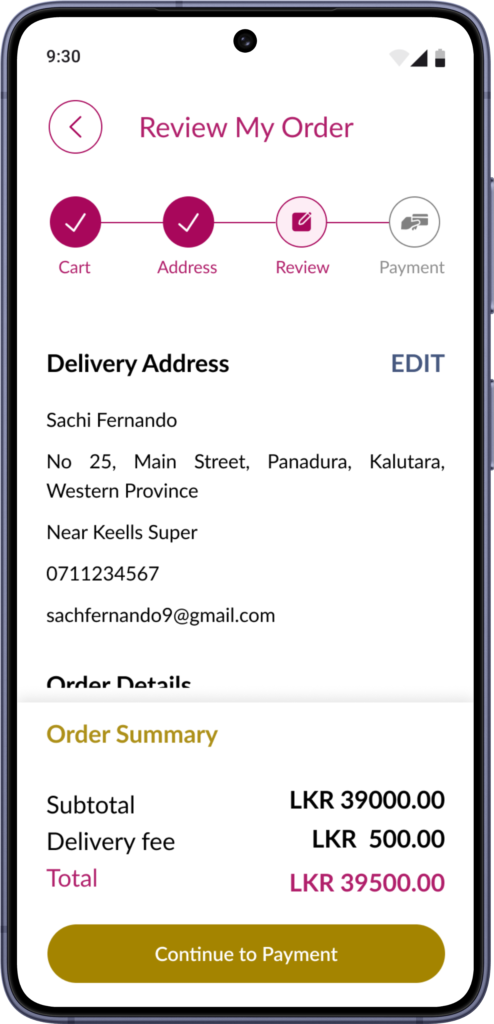
    • Review Order Summary Page
    Full-length screen for
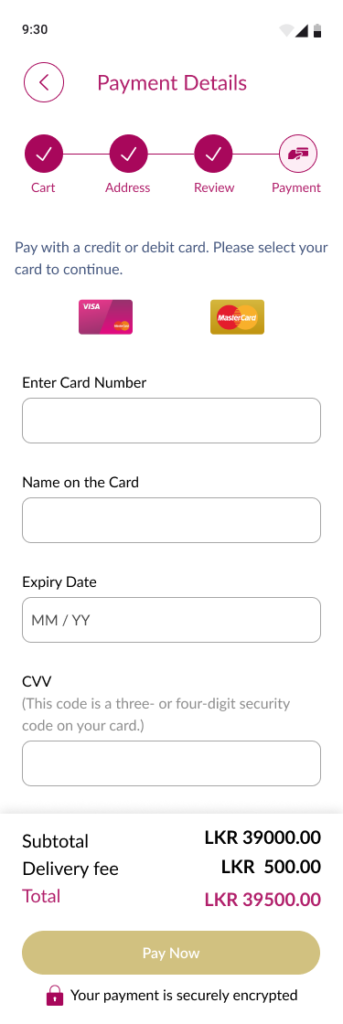
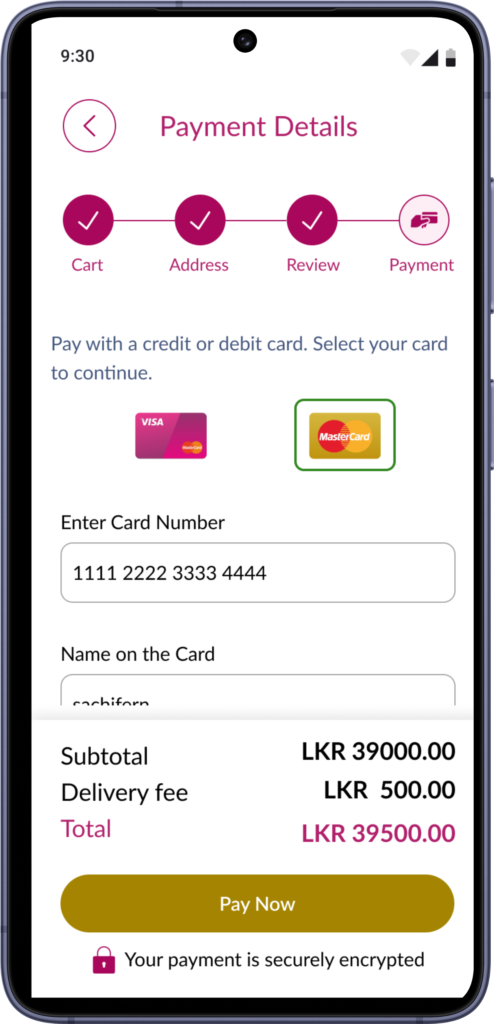
    • Payment Details Page (Empty)


    Actual mobile viewport for
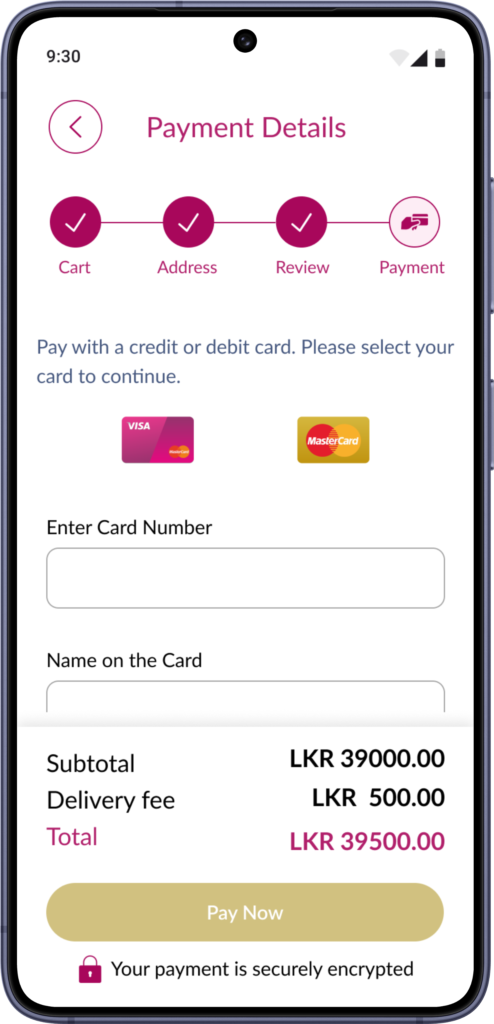
    • Payment Details Page (Empty)
    • Payment Details Page with Data 

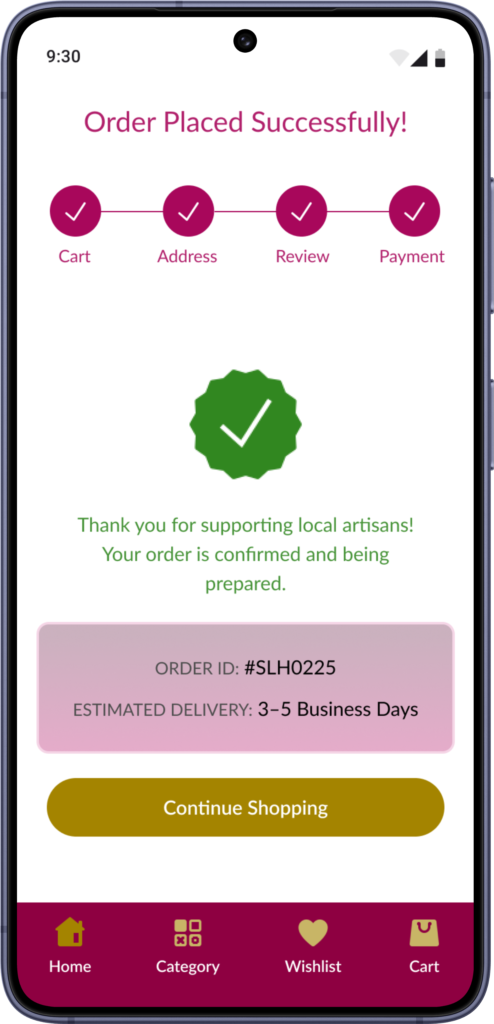
    Actual mobile viewport for
    • Payment Successful Page