Small Local Event Planning Company Website

1. Introduction

This project involves designing a warm, conversion-focused website for a small Sri Lankan event-planning business.  The goal is to enhance the company’s online presence, making it easier for potential clients to explore services, view past events, and get in touch easily. This way, it helps to build trust and improve overall user experience.

2. Problem Statement

A small local event planning business that specializes in weddings, birthday parties, and anniversaries was managing its operations through WhatsApp messages and Excel sheets. This leads to problems as follows.

• A lack of a professional online presence, making it difficult to build trust with new clients.

• No centralized platform for customers to browse services or view event galleries.

3. Design Process

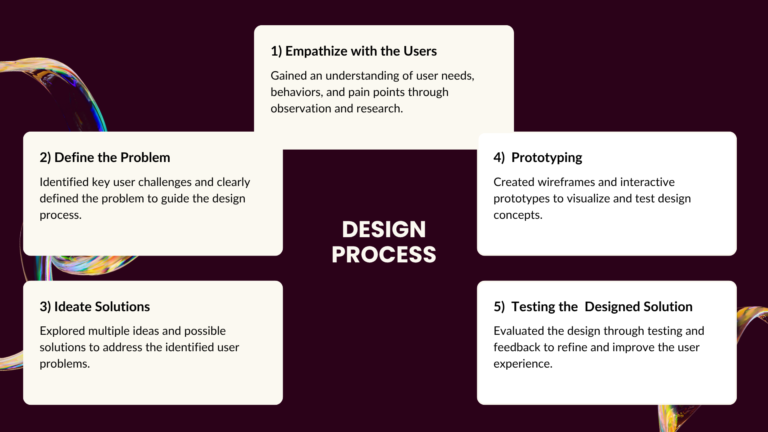
I have utilized this design thinking process to identify user problems and create a user-friendly, goal-oriented solution.

4. User Research Summary
  • I conducted lightweight research through short interviews and online observations to understand the needs, expectations, and pain points of people looking for a local event planner.

  •  This procedure helped me identify common expectations, behaviors, frustrations, and user pain points. And also, this helped to identify what information they need on a website before making an inquiry.

5. Empathy Map and User Personas
Empathy Map

Says

  • Do you have any packages introduced?
  • What’s included in your packages?
  • Can you show me some examples?
  • I want a simple yet elegant event.
  • Is this suitable for a small budget event?

Thinks

  • I want my event to feel simple and special, not generic.
  • I don’t want to manage multiple vendors myself.
  • Will they plan my event exactly the way I imagine it?

Does

  • Browse multiple event planning sites.
  • Compares different prices and reviews.
  • Saves planner profiles for later comparison.
  • Contact planners and check their responses.

Feels

  • Anxious about prices going over budget.
  • Excited about celebrating, but nervous about logistics.
  • Uncertain about whether the planner understands my requirements.
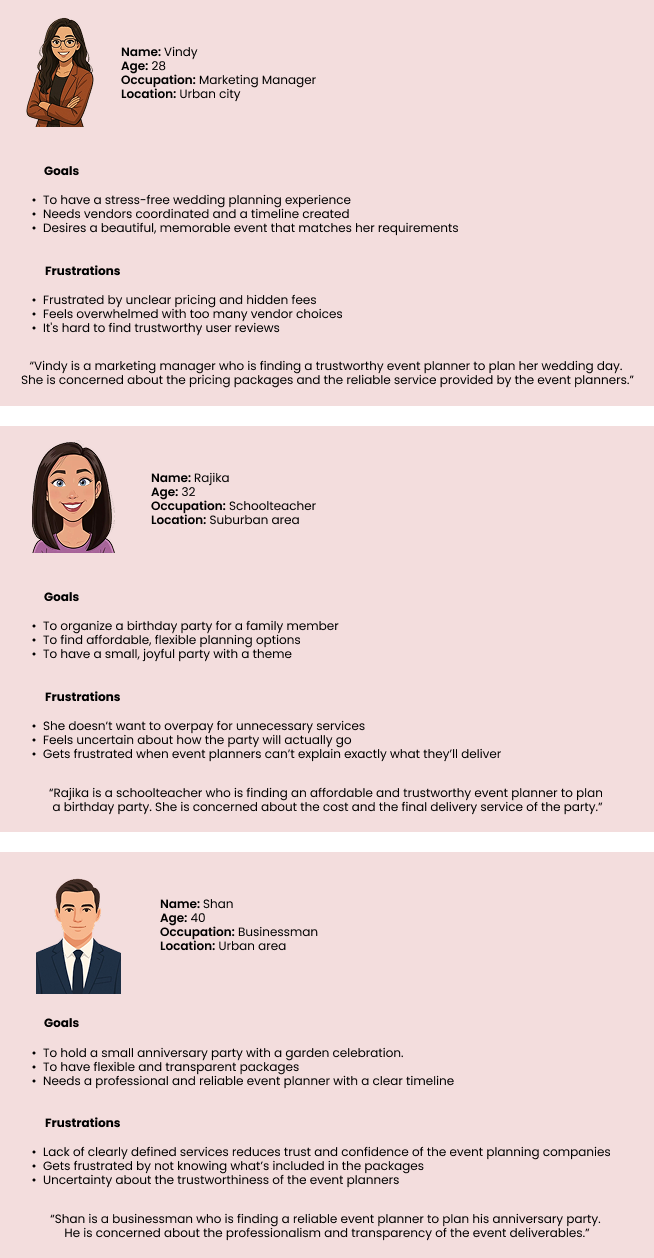
User Personas
6. Identified Pain Points and Desired Outcomes

Identified Pain Points

  • Unclear pricing/package
  • Overwhelming planning tasks.
  • Hard to find trustworthy reviews and examples.
  • Communication challenges with planners.

Desired Outcomes

  • Clear pricing and packages.
  • Inspiring event galleries and real work examples.
  • Easy contact and quick replies.
  • A trusted planner that reduces stress.
7. Proposed Solution

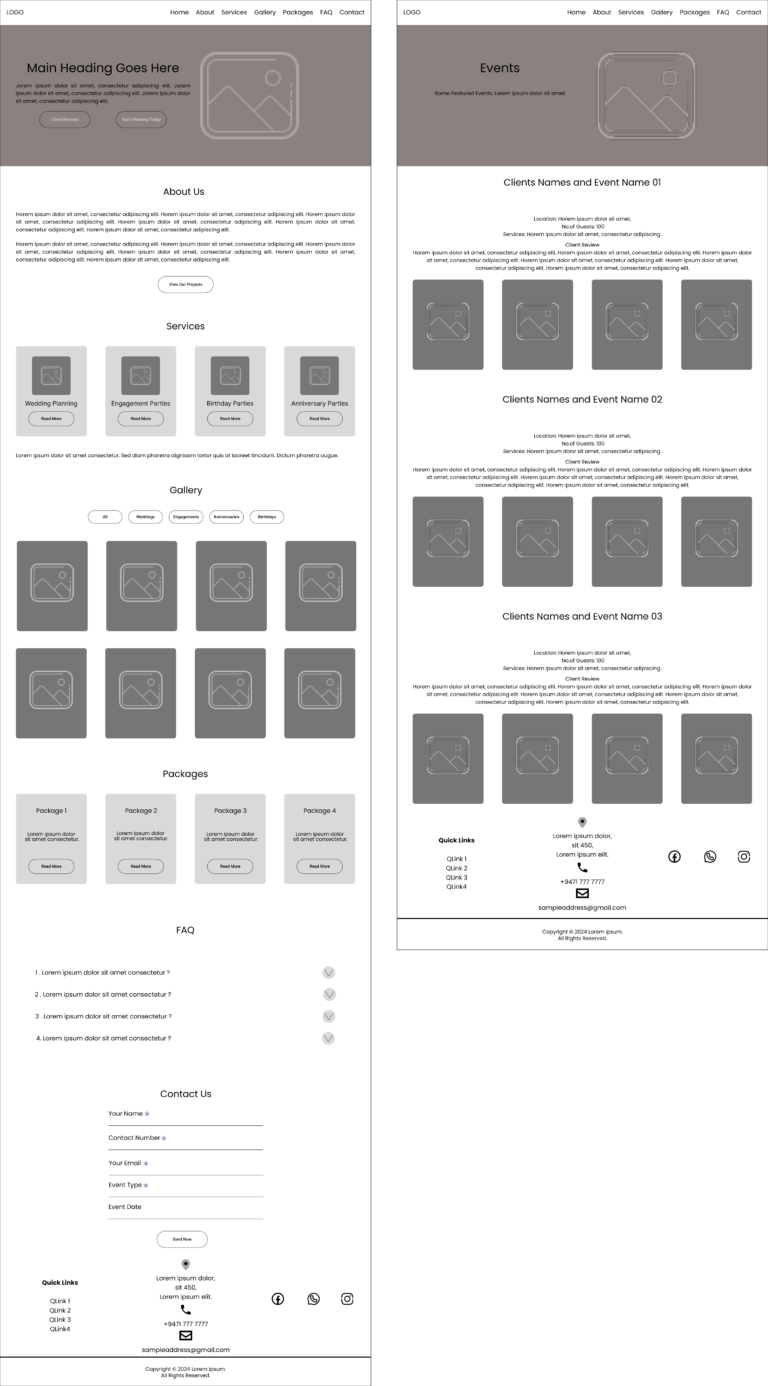
In the event planning industry, aesthetics and reliability are more important. To address the identified pain points and challenges, I designed a simple, professional website for a local event planning company that clearly showcases past events, highlights prices and client reviews, and provides an easy-to-use contact form to reduce uncertainty and build trust.

8. Wireframes
9. Colors

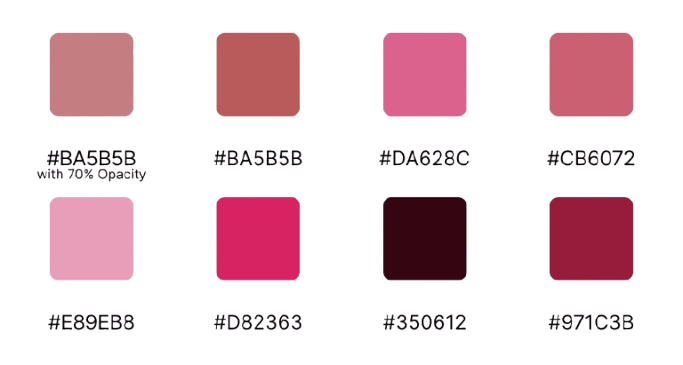
Primary Color

  • Burgundy – Primary brand color

Burgundy color is used to build the brand identity, creating a clean, elegant, and professional look for the event planning website.

Neutral Colors

  • Black – Body text

  • White – Backgrounds, spacing, for readability

Other Supporting Colors

A set of supporting colors are used for labels, headings, and footer sections to enhance visual hierarchy without overpowering the main brand color.

Below are the primary color and other supporting colors.

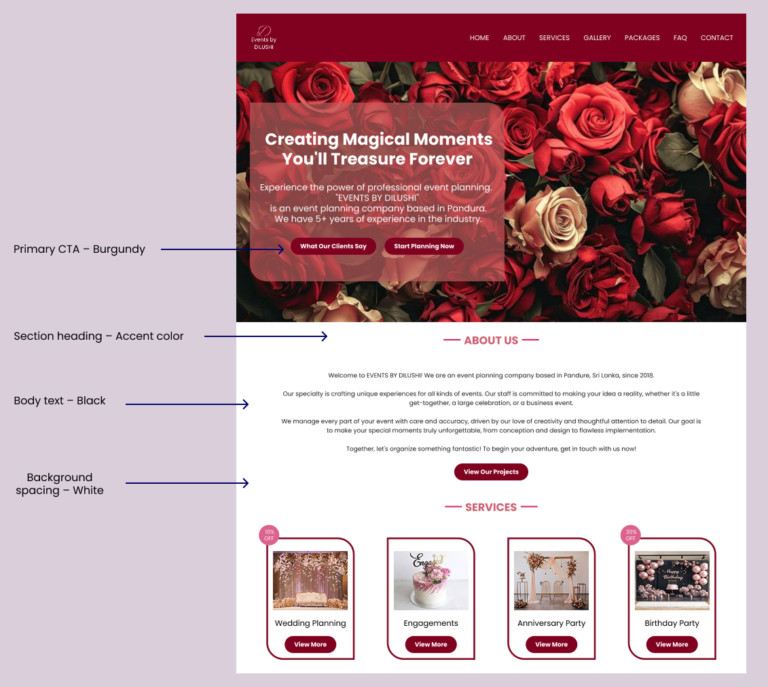
Usage in UI

The below cropped UI view is shown to highlight color usage in key UI elements.

Burgundy is used for primary CTAs and key highlights, while accent colors are applied sparingly for labels, section headers, and visual hierarchy.

10. Typography

Design Approach

  • “Poppins” is used as the primary font.

  • Typography scale was generated using a scale to maintain visual hierarchy and consistency across headings and body text.

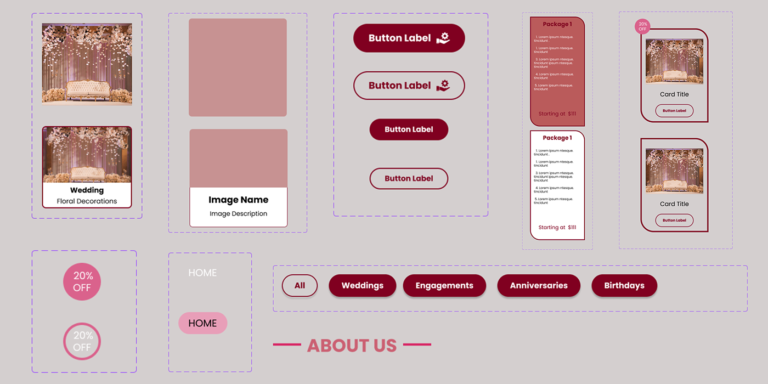
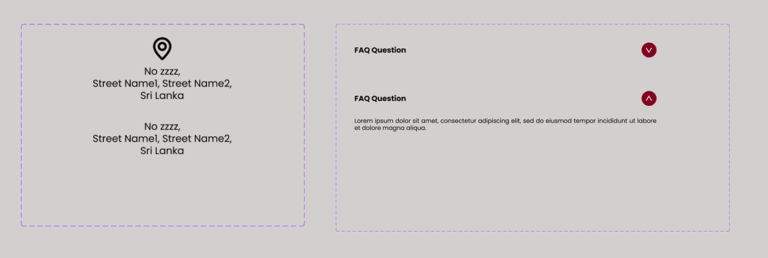
11. Components

Responsive Design Approach

Some components were adapted for mobile with adjusted sizes and layouts to ensure readability, touch accessibility, and optimal content hierarchy across devices.

Interaction Design

Subtle hover states were added to buttons, cards, and navigation elements to provide visual feedback and improve usability, helping users understand which elements are interactive.
12. Design Decisions and Final UI Designs (Desktop / Tablet / Mobile)

Design Decisions

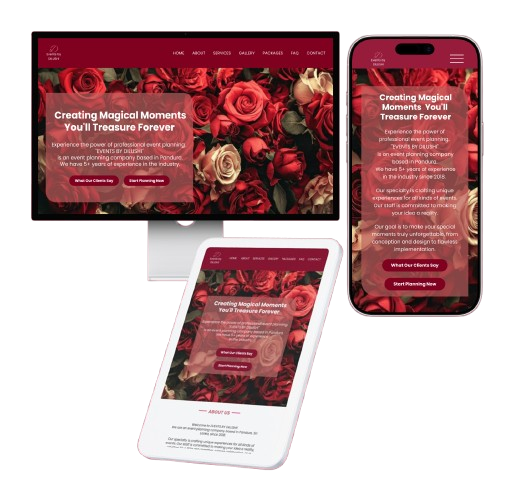
Final UI Designs

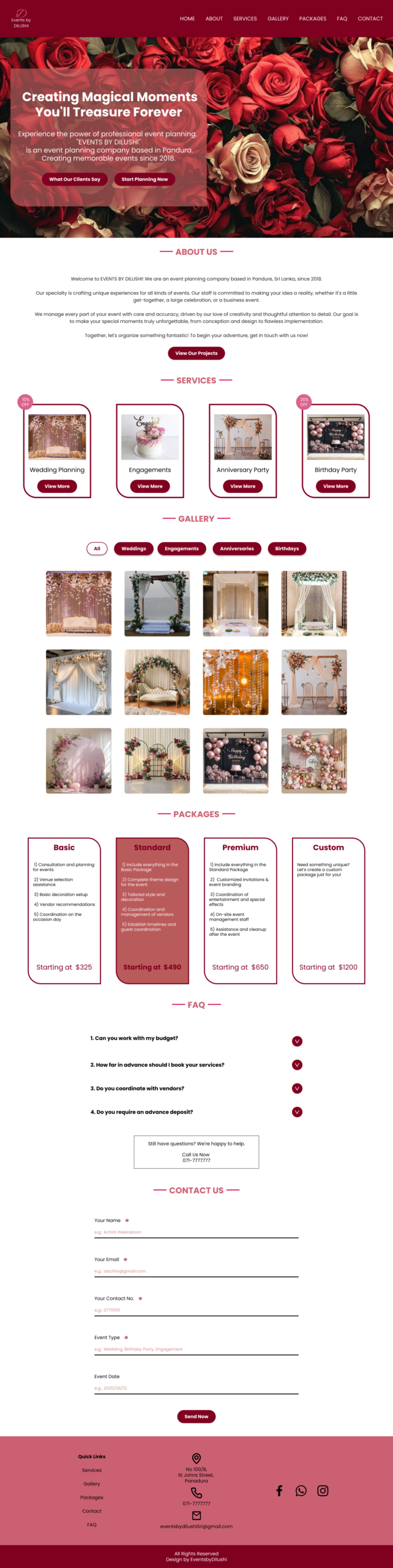
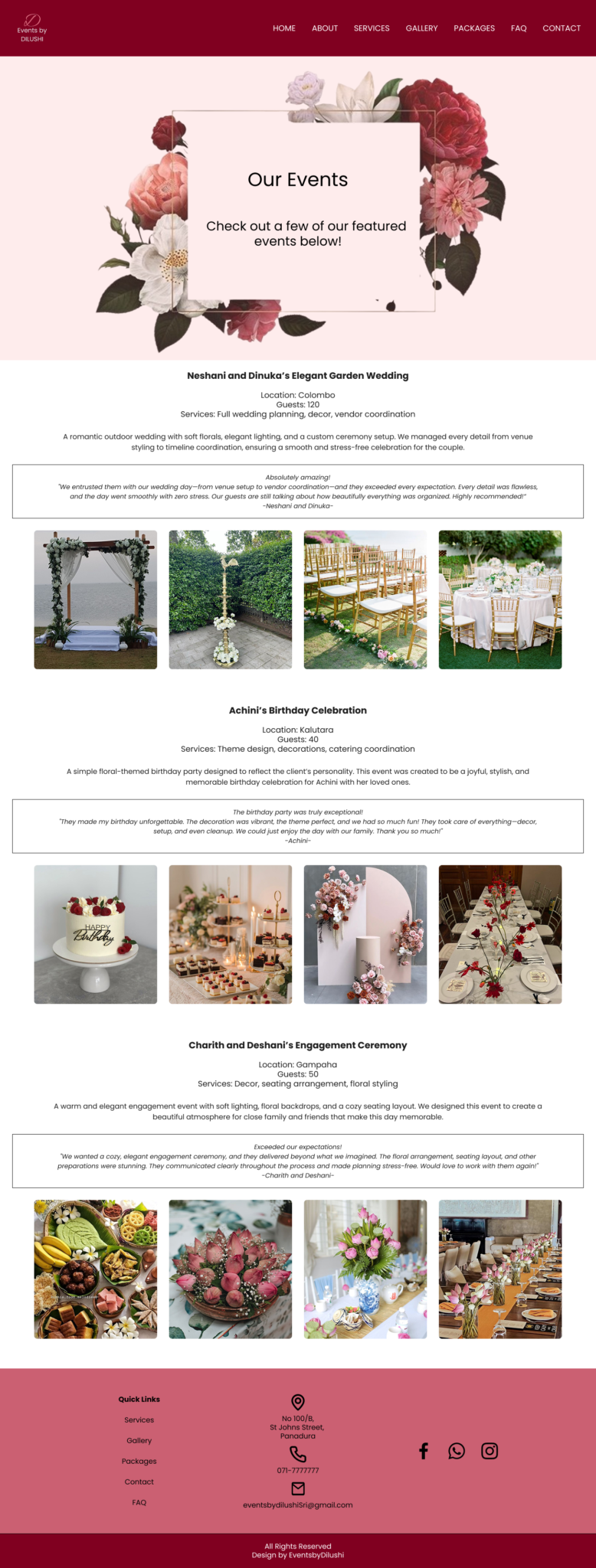
Desktop UI Designs

  • Home Page
  • Past Events Page with User Reviews

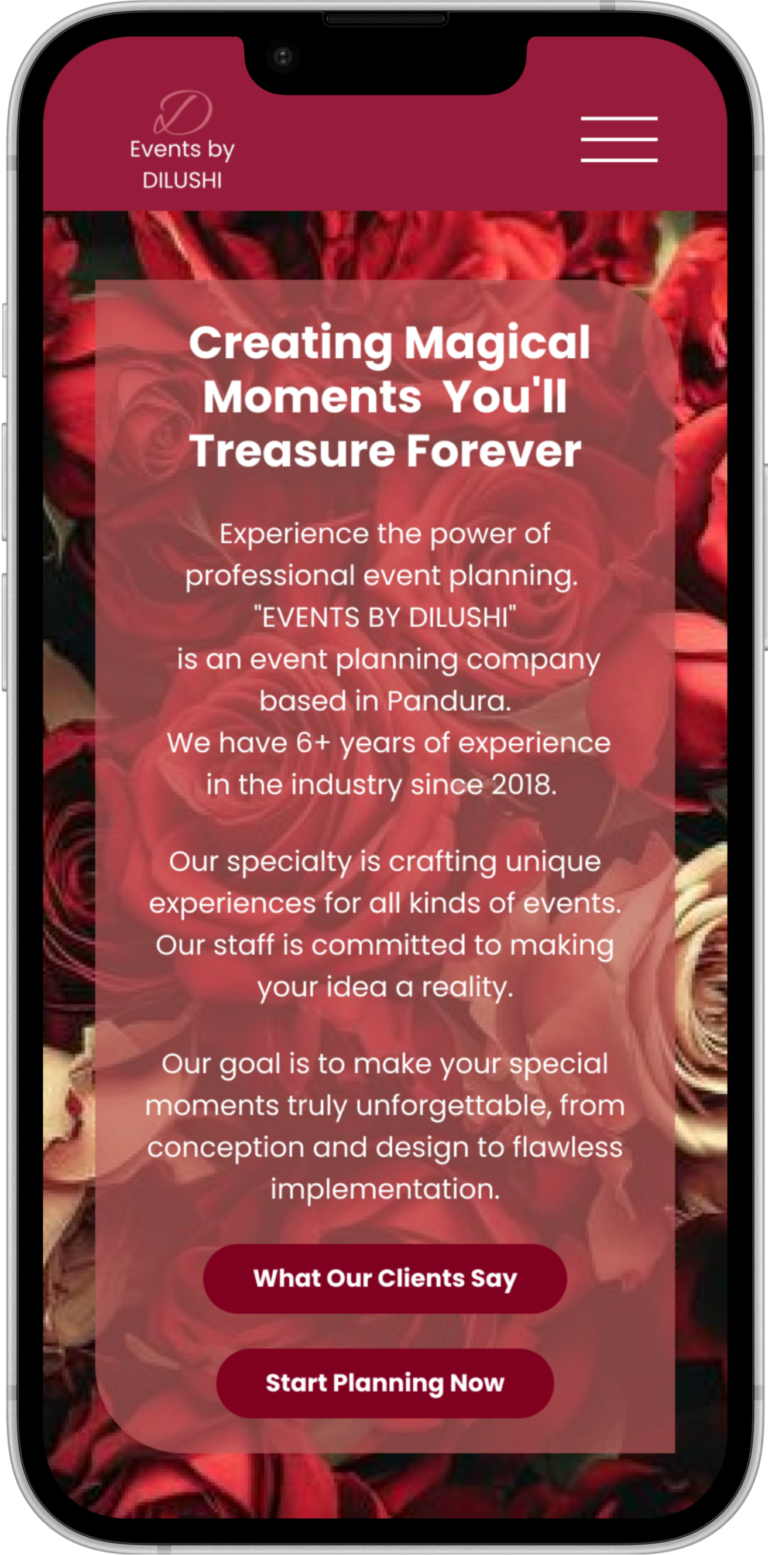
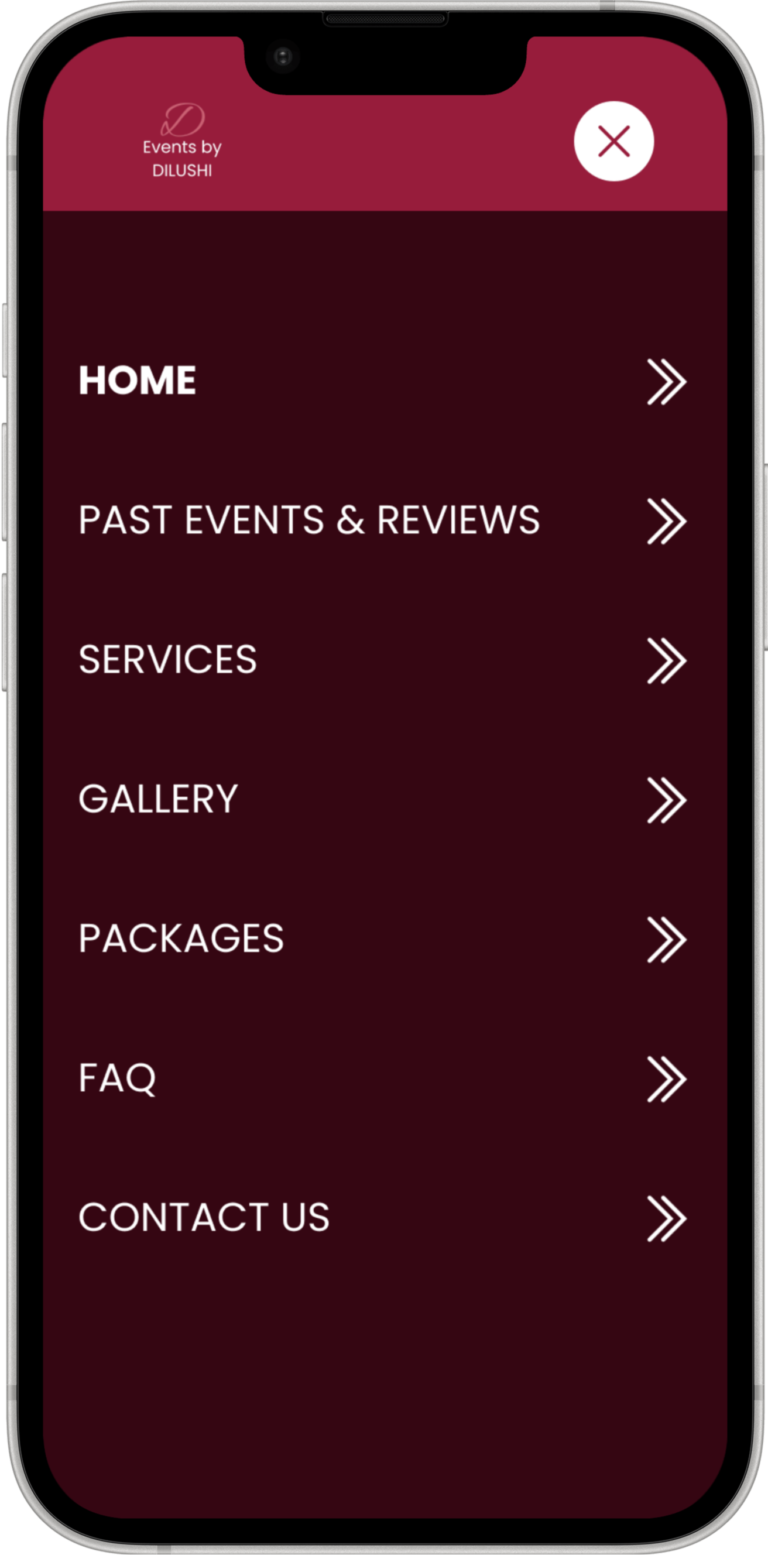
Mobile UI Designs

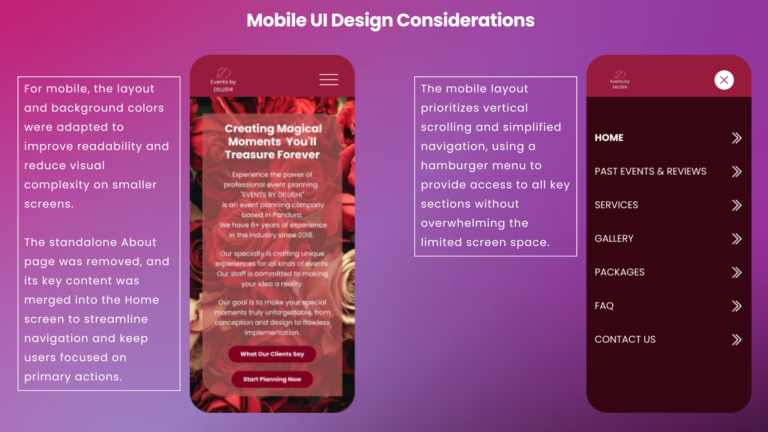
  • Home Page
  • Menu Page
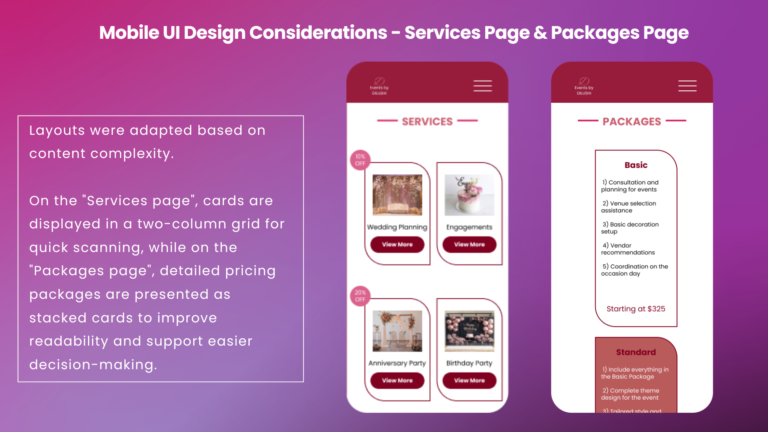
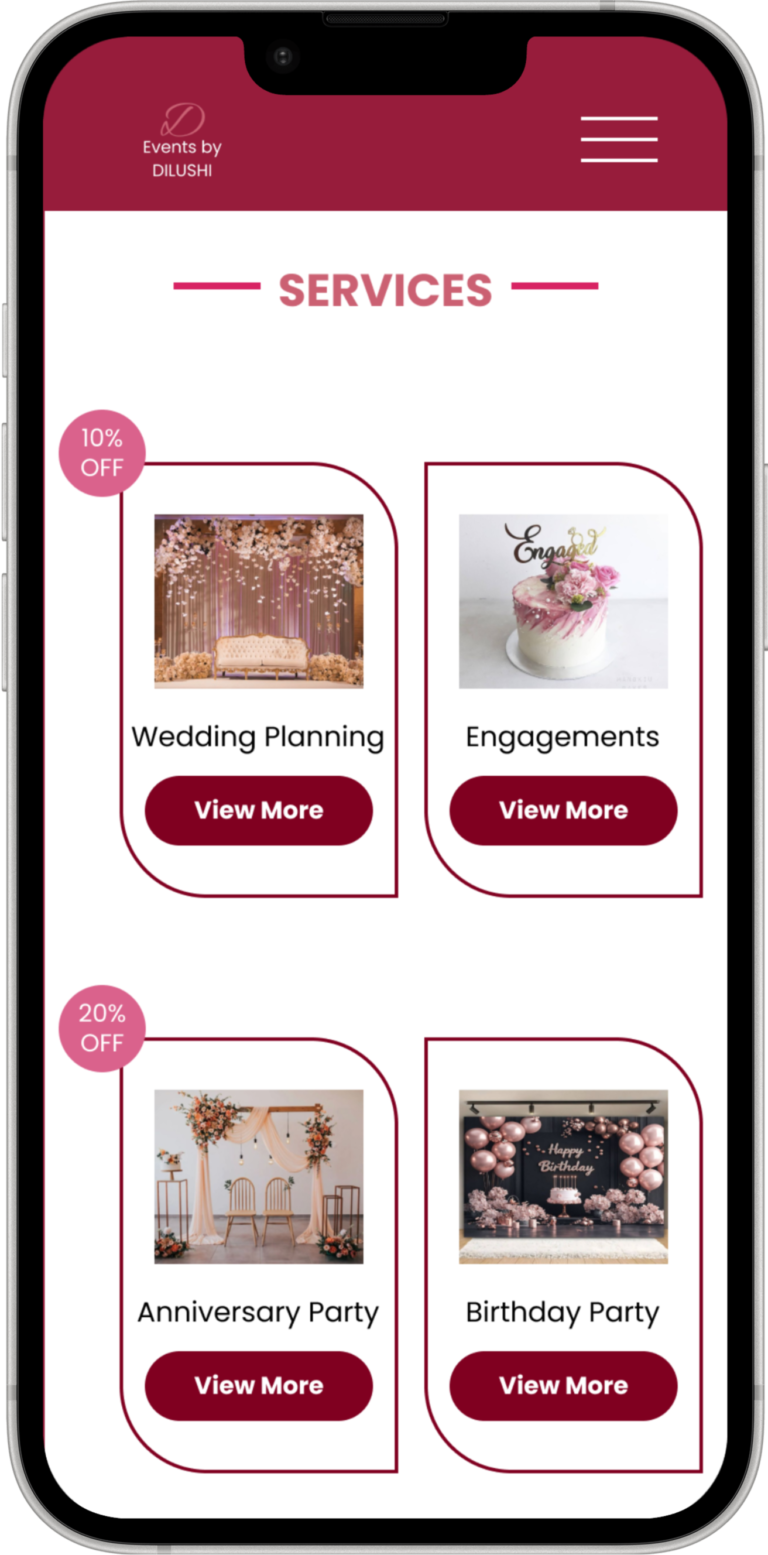
  • Services Page
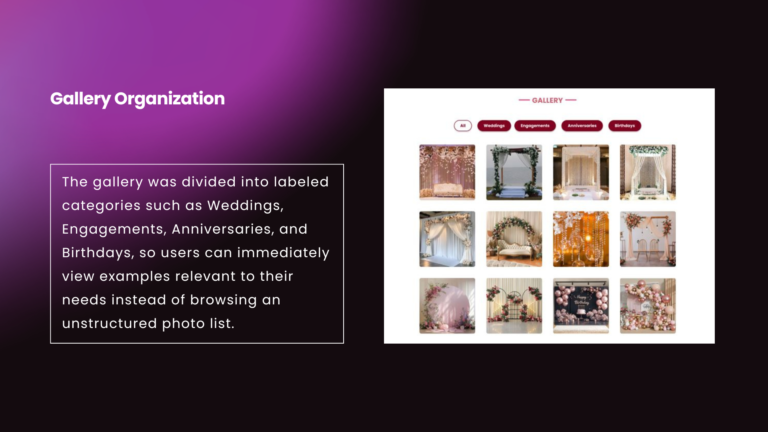
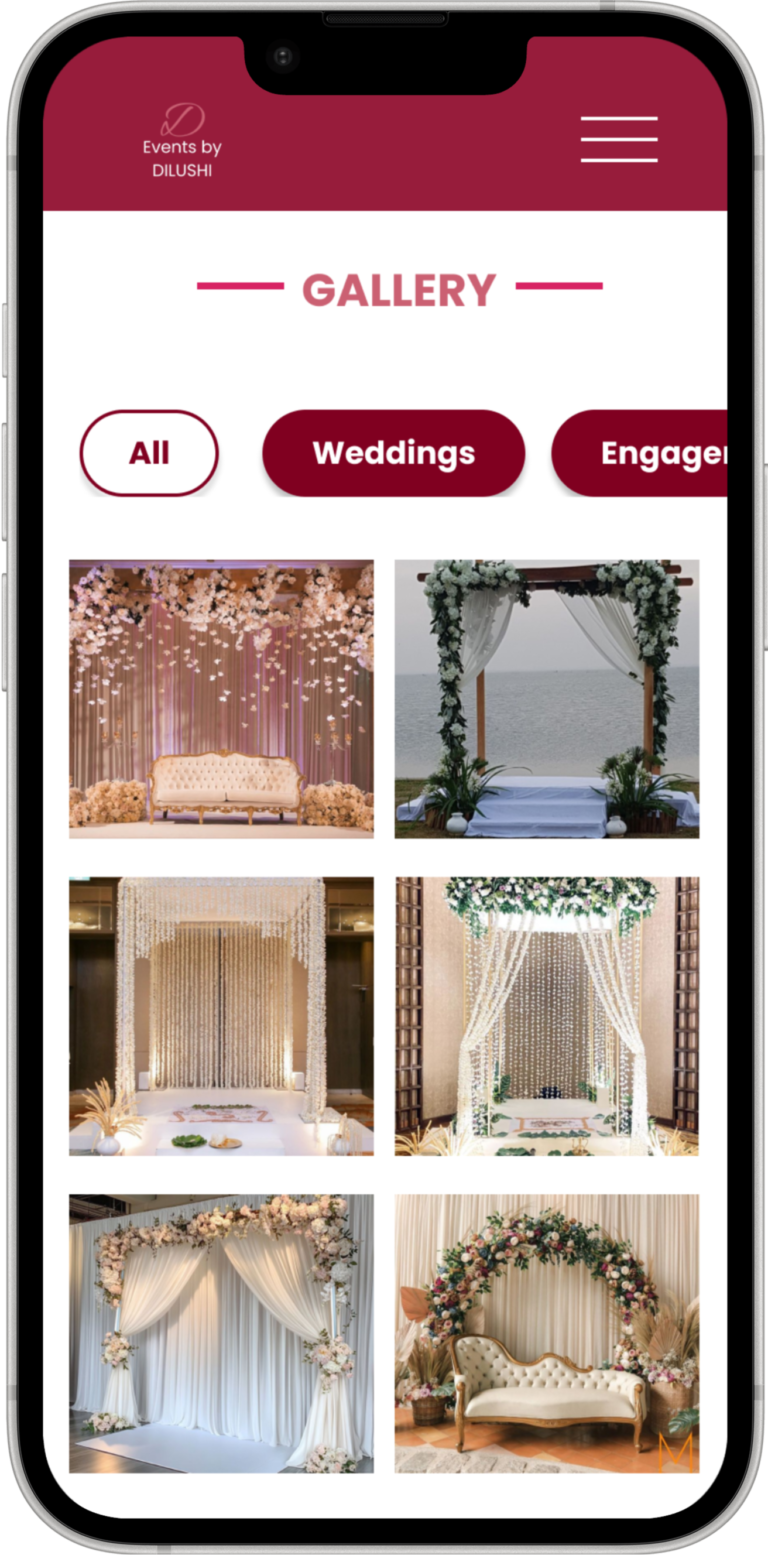
  • Gallery Page
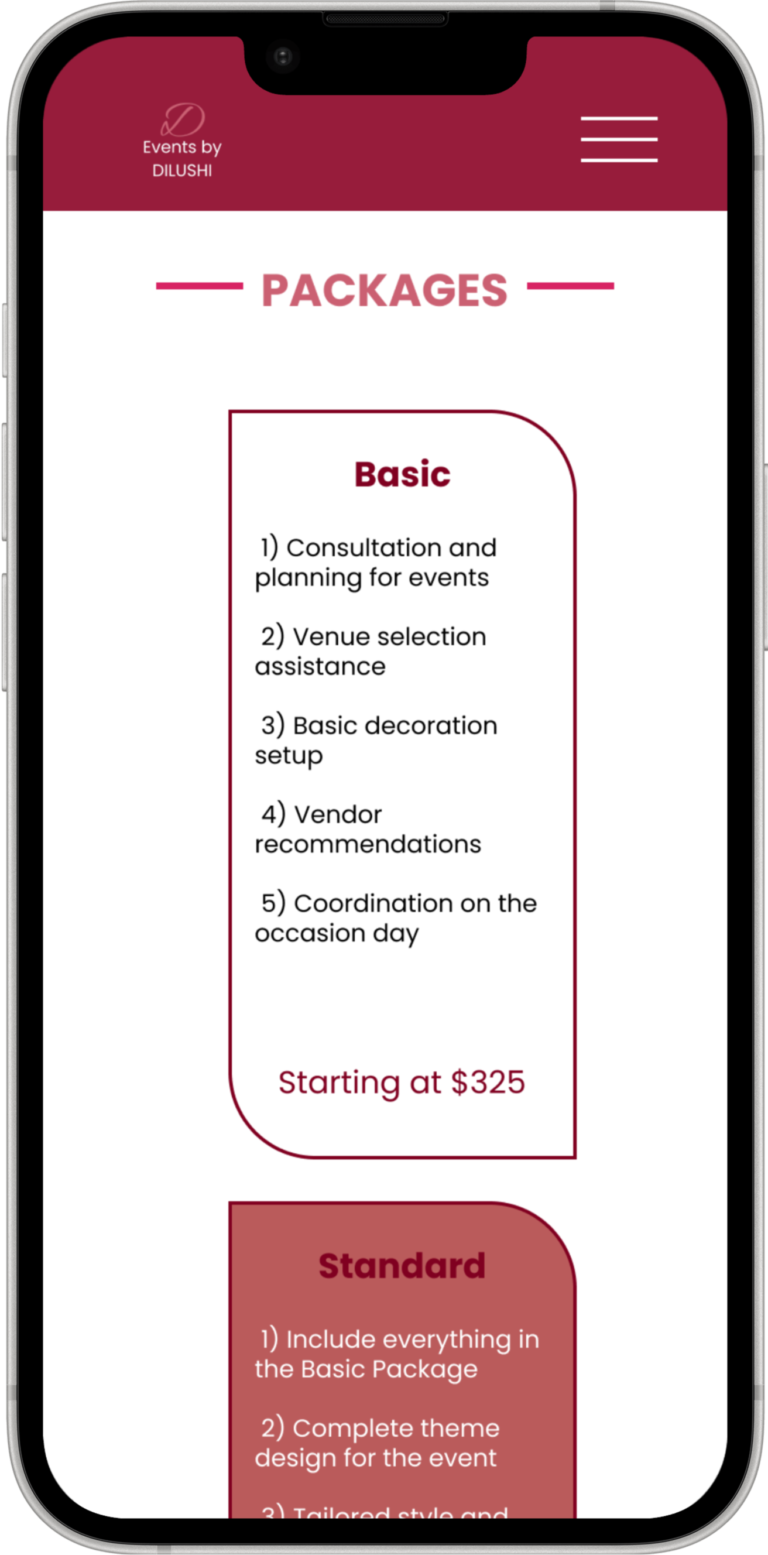
  • Packages  Page
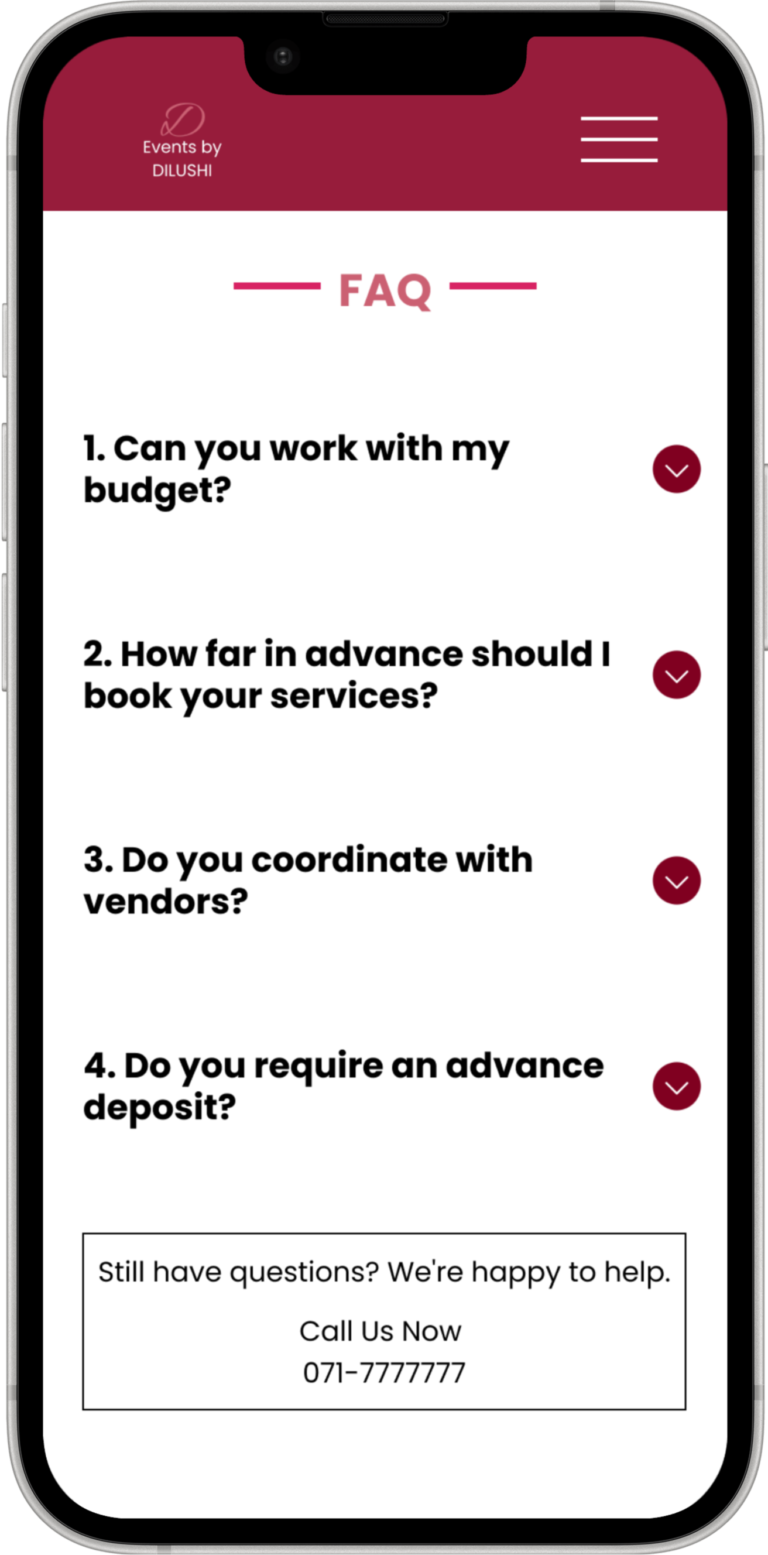
  • FAQ Page

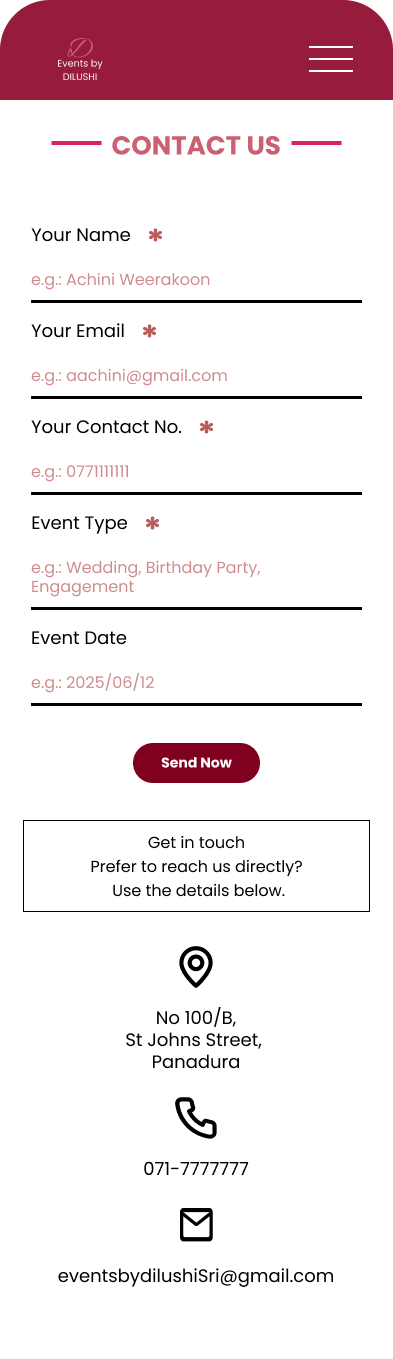
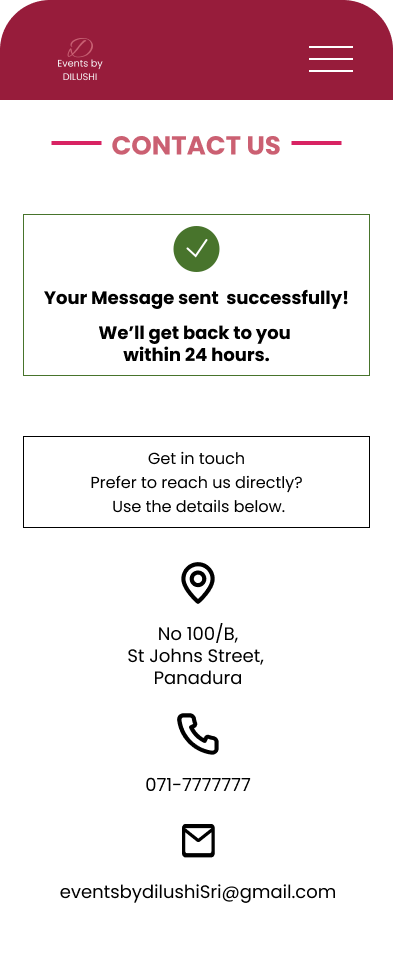
Full-length screens for

  • Contact Page
  • Form Submission Successful Page

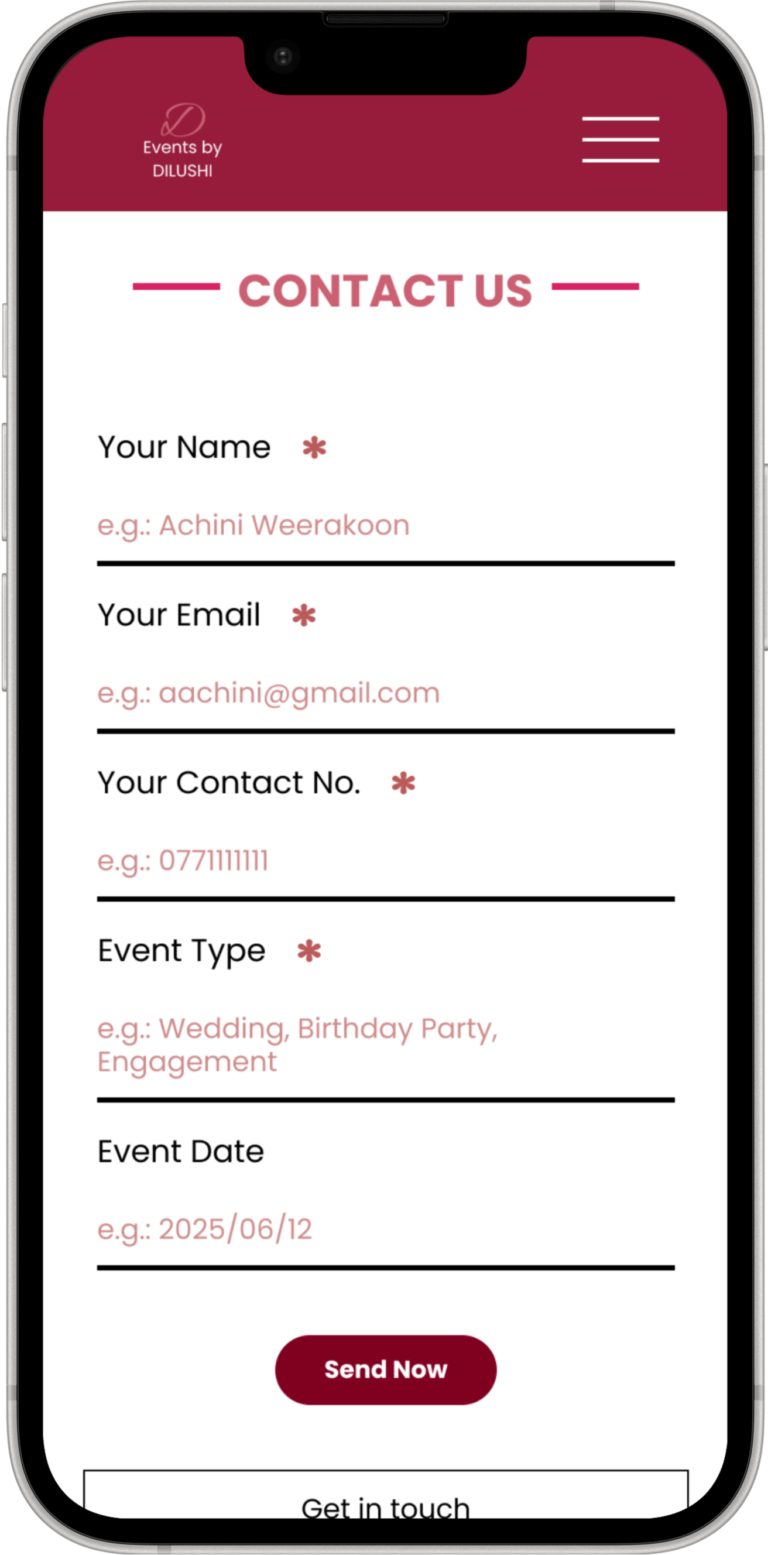
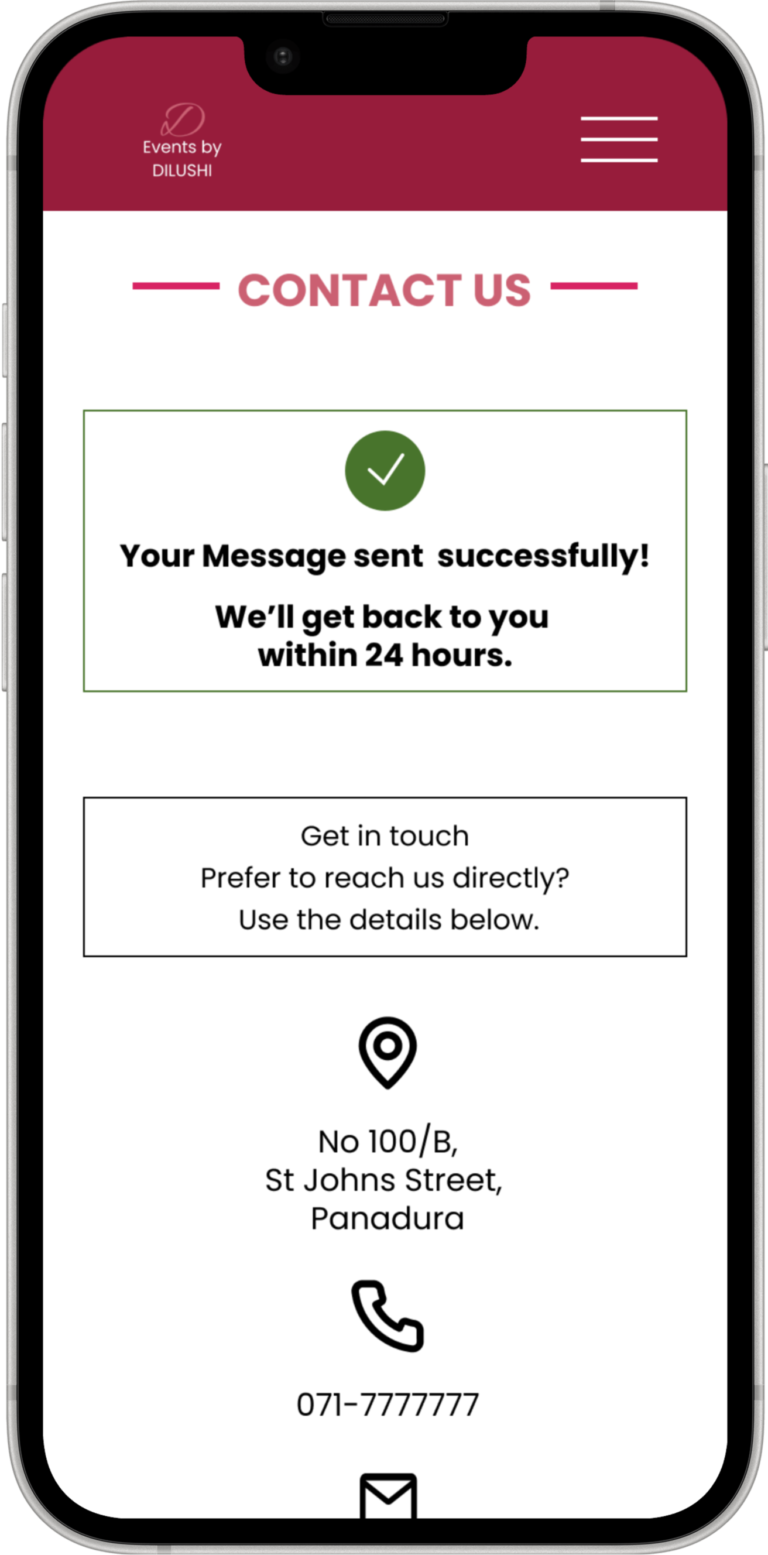
Actual mobile viewport for

  • Contact Page
  • Form Submission Successful Page

Full-length screens for

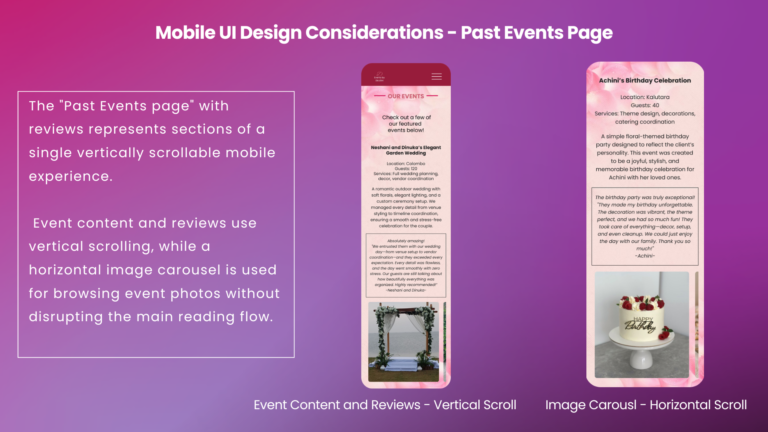
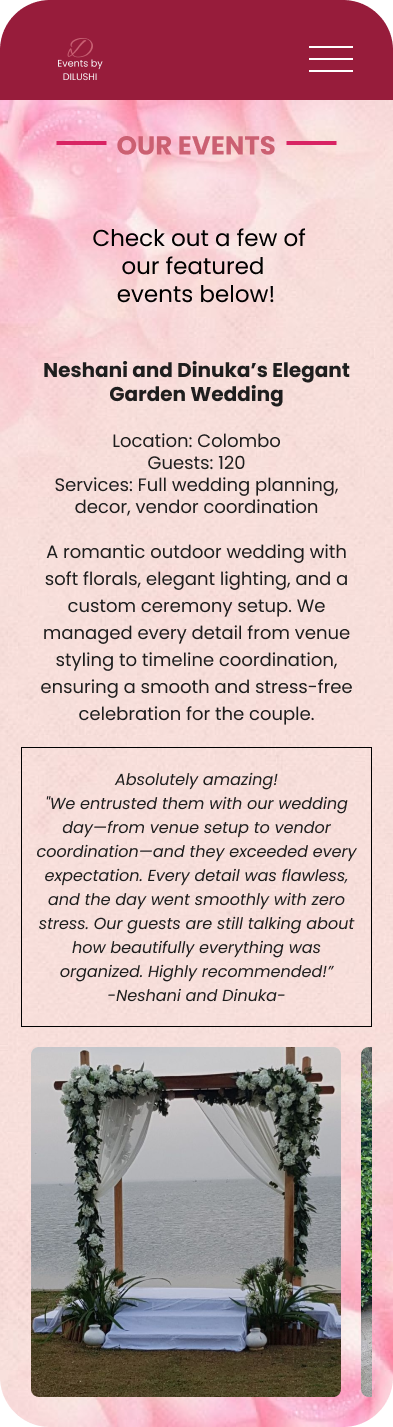
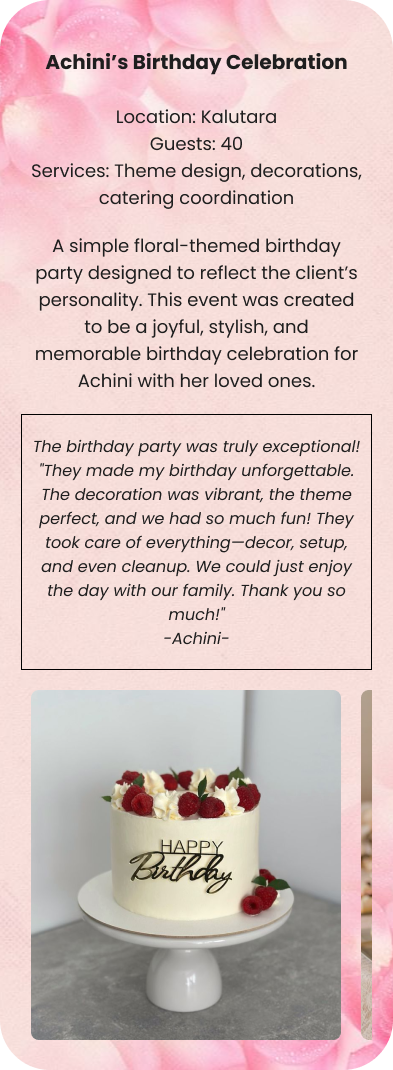
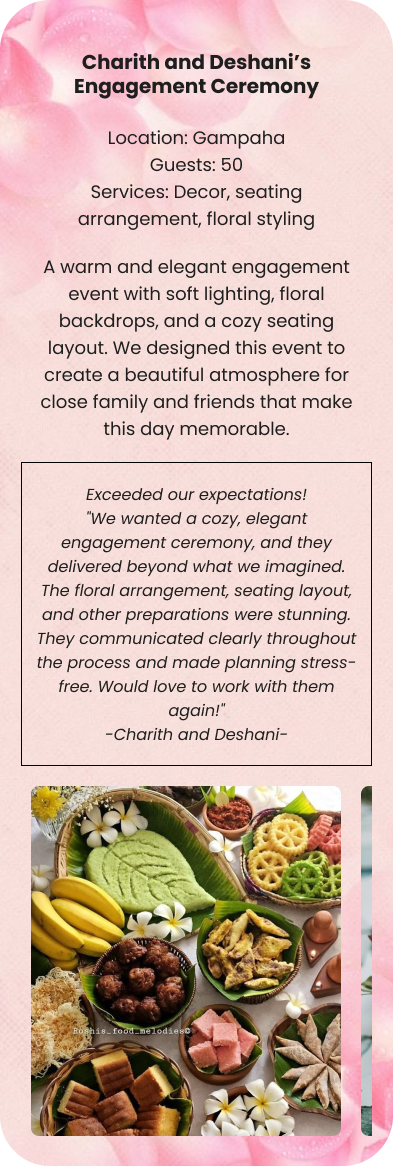
  • Past Events with Reviews Page


Actual mobile viewport for

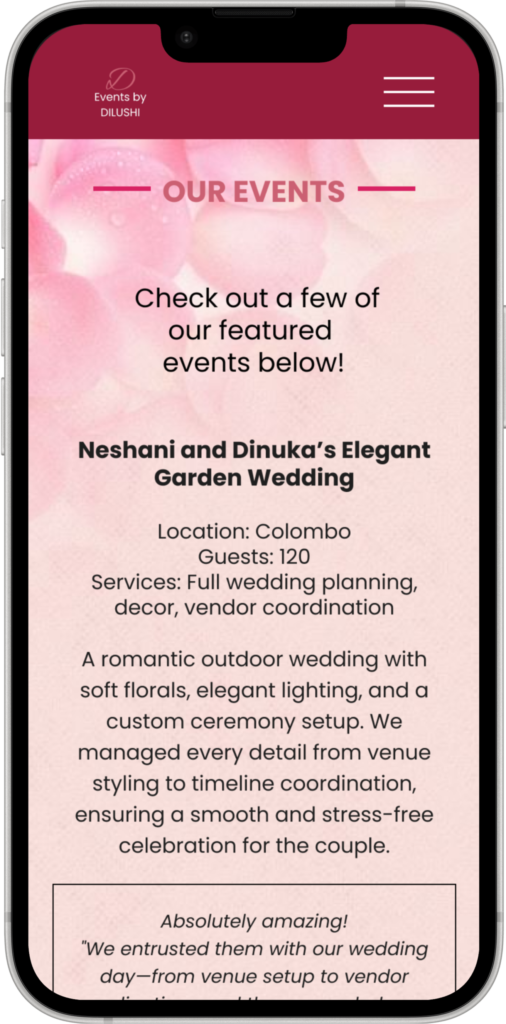
  • Past Events with Reviews Page

13. Key Learnings

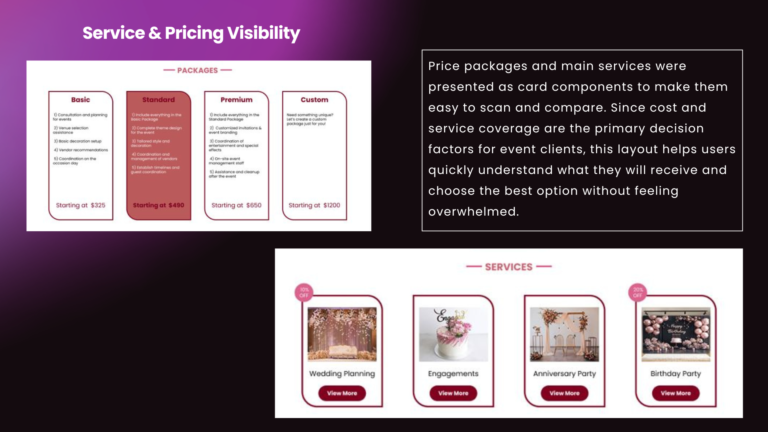
I’ve learned that while event planning is emotional and visual, users first look for clear packages, pricing, and past work/user reviews before they contact a planner.

This influenced my decision to:

  • Highlight past events along with user reviews and pricing packages early in the experience.

  • Use clear CTAs instead of only decorative visuals.